C64 Dev Machine V099.92 PRO+LITE - C64 ULTIMATE Ready!
A downloadable tool for Windows and macOS
...ALSO BUILDS DIRECTLY to YOUR

SCROLL DOWN FOR THE FREE LITE VERSION to get a taste of what to expect!
Available for WINDOWS and MAC OS) Linux users, please user CROSSOVER, WINE, WHISKEY or similar.
(note that not all features may be supported with these bridging methods.)
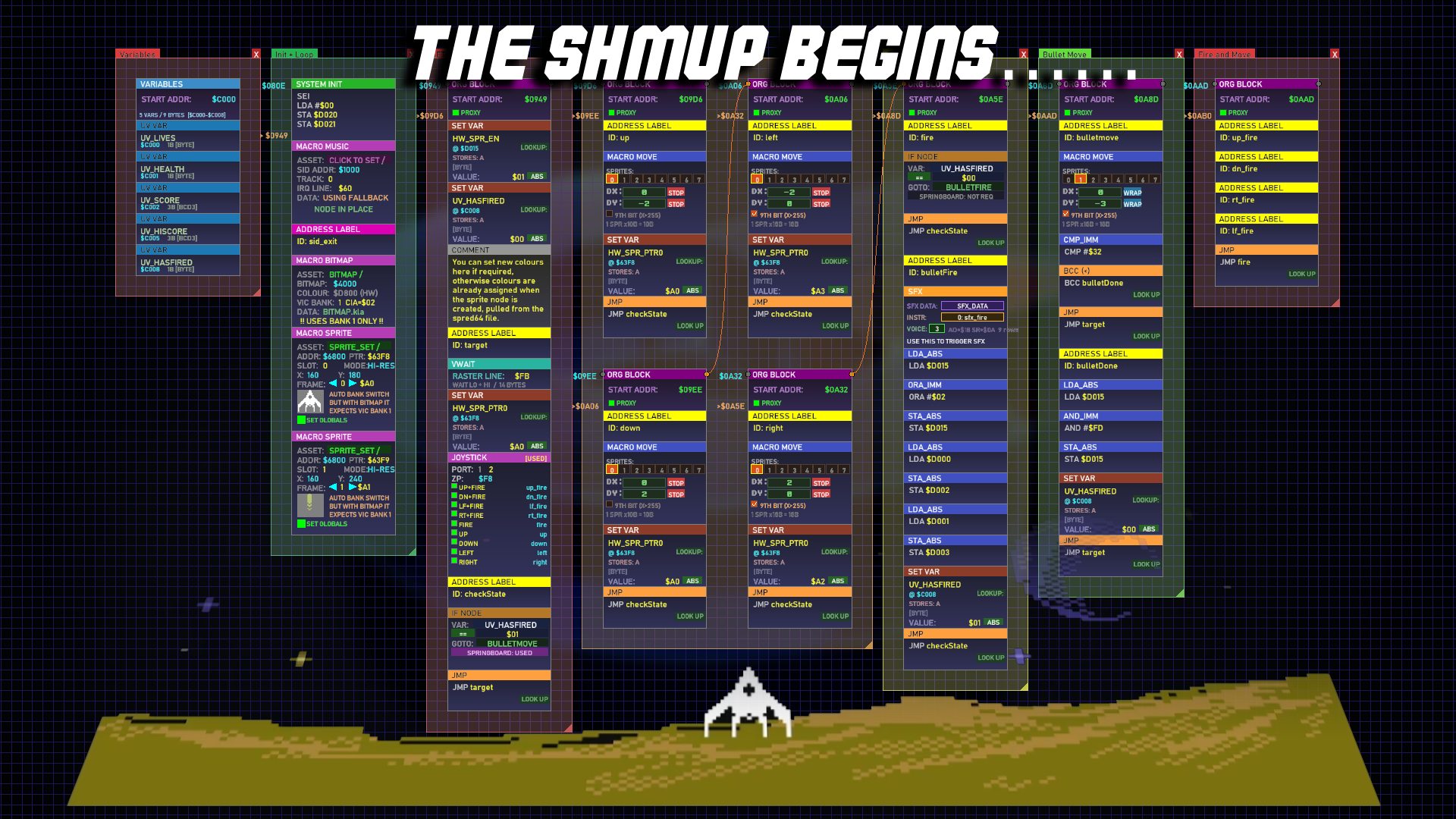
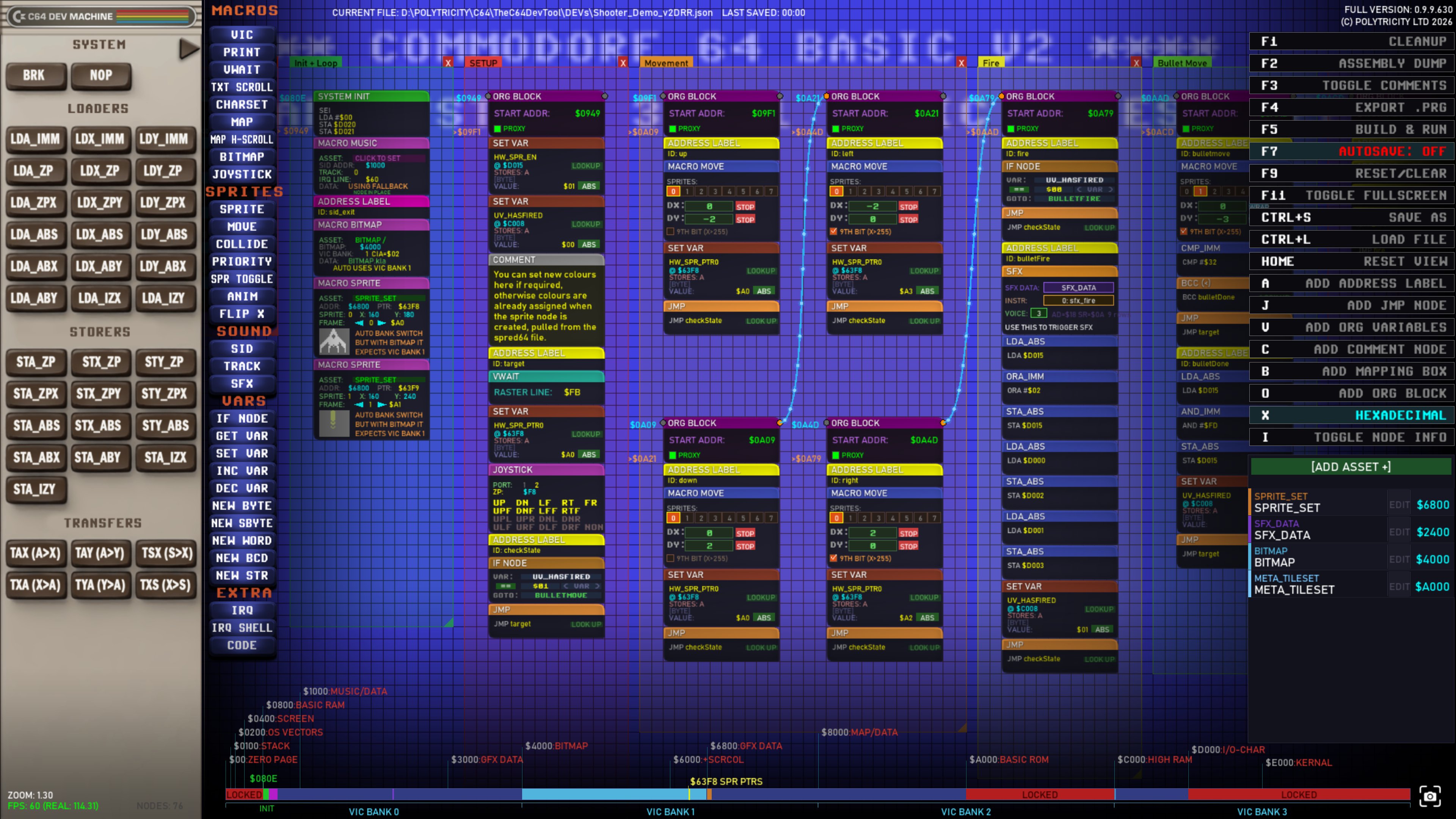
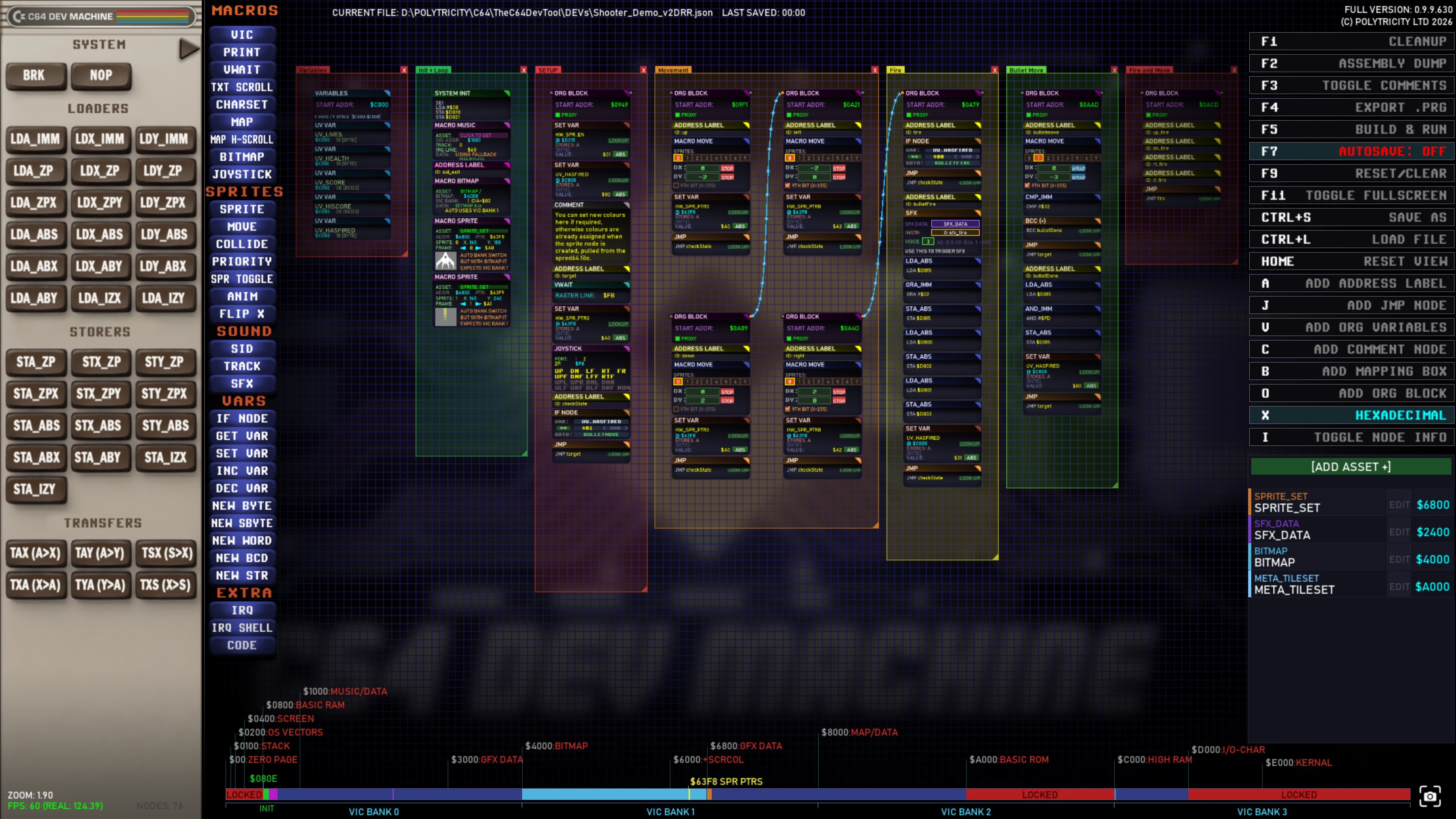
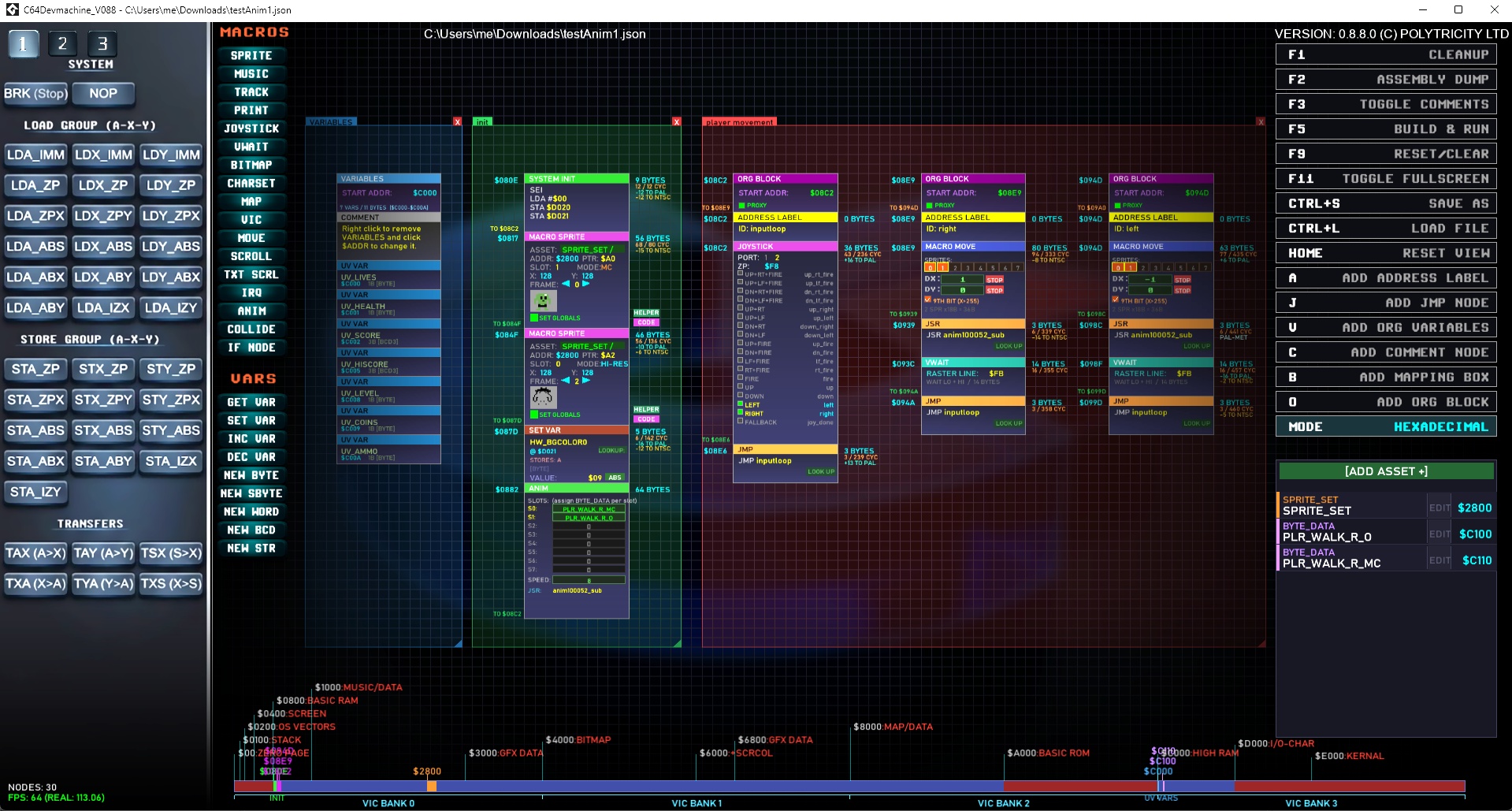
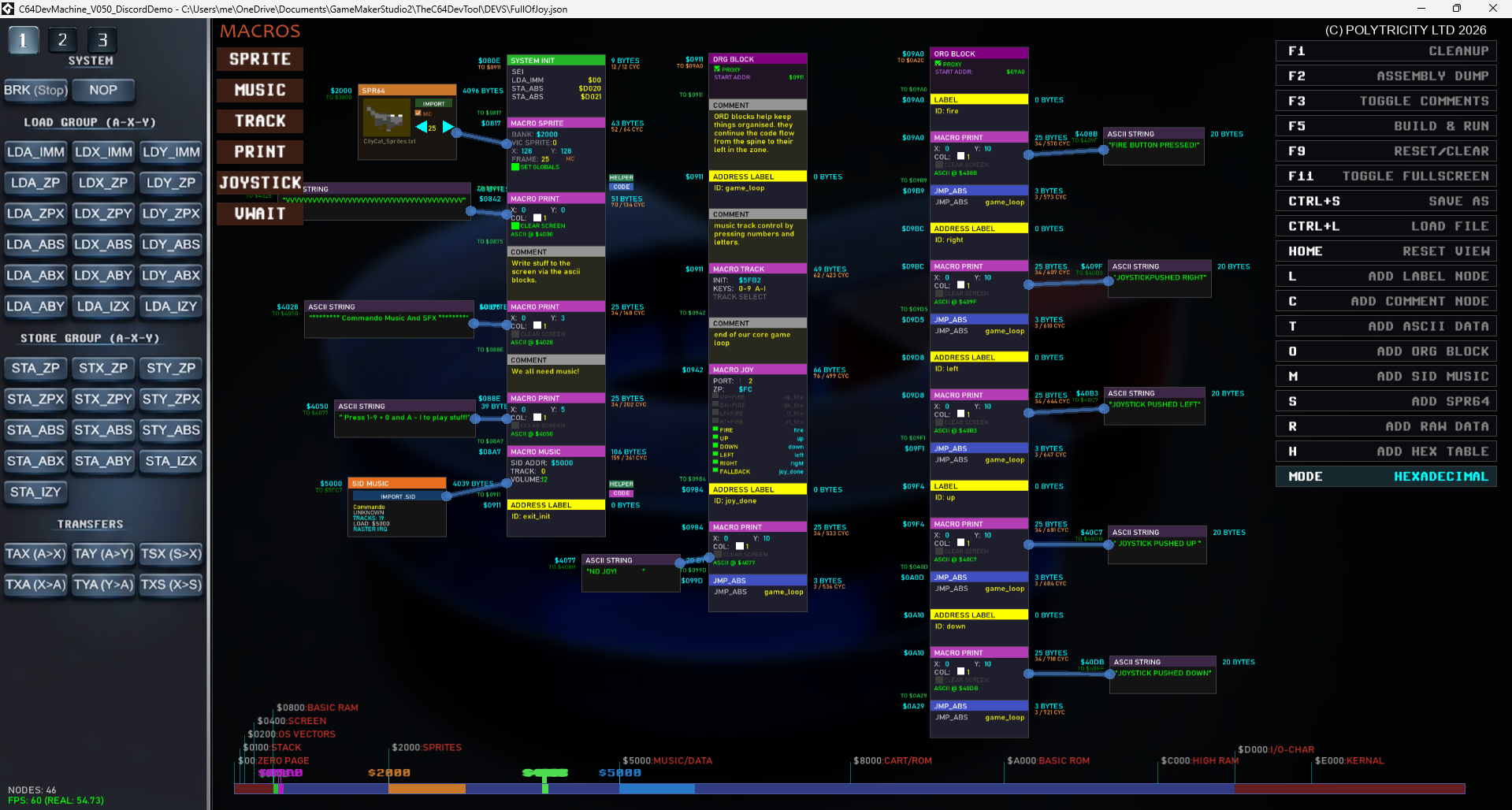
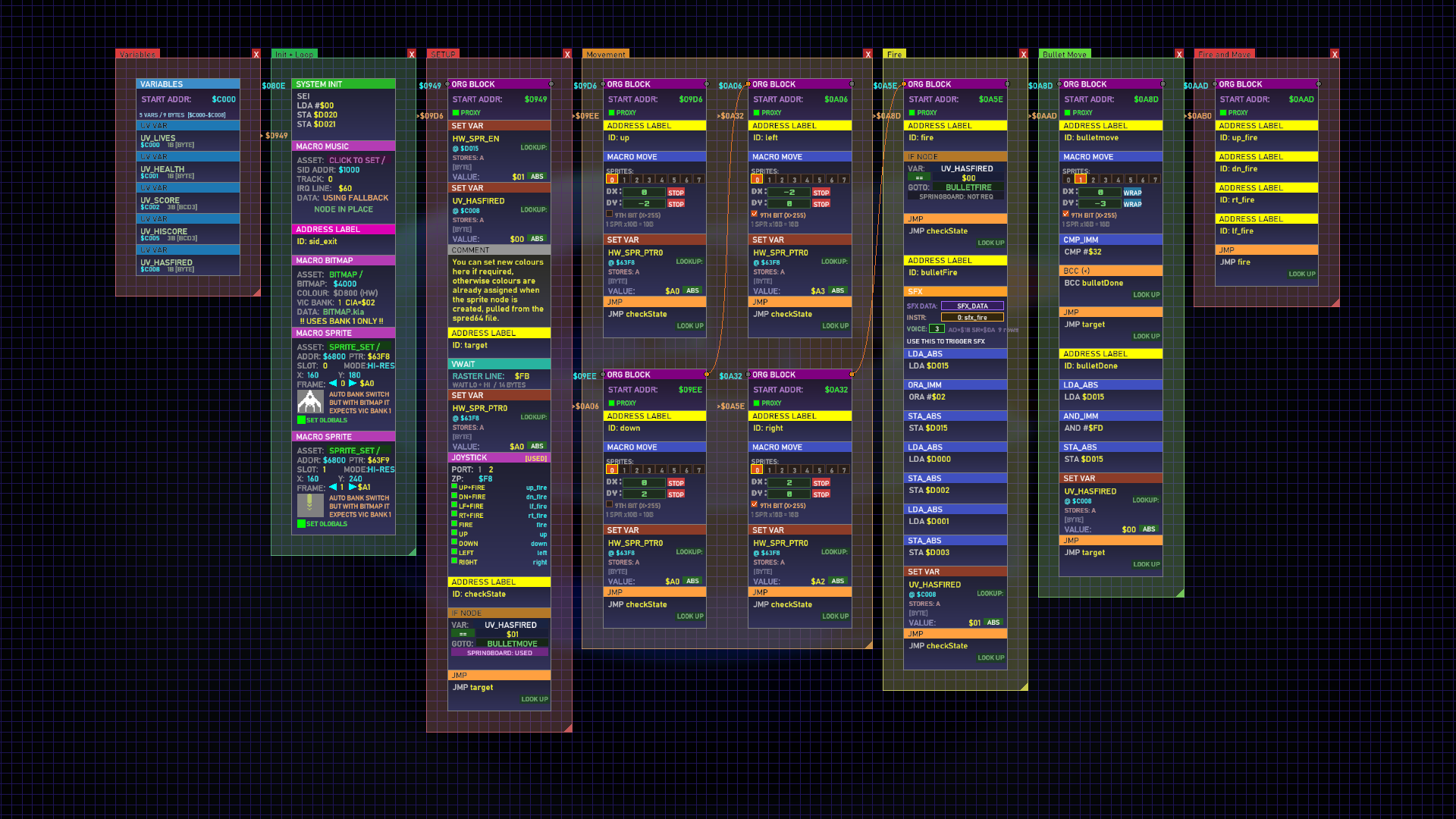
This custom C64 dev tool turns 6502 Assembly into a visual, block-based powerhouse giving you full control right down to the bits!
Key features:
- Full Mnemonics table plus some illegal opcodes for the hard-core types
- Node = Code (Code blocks are a PRO feature so you can code with text)
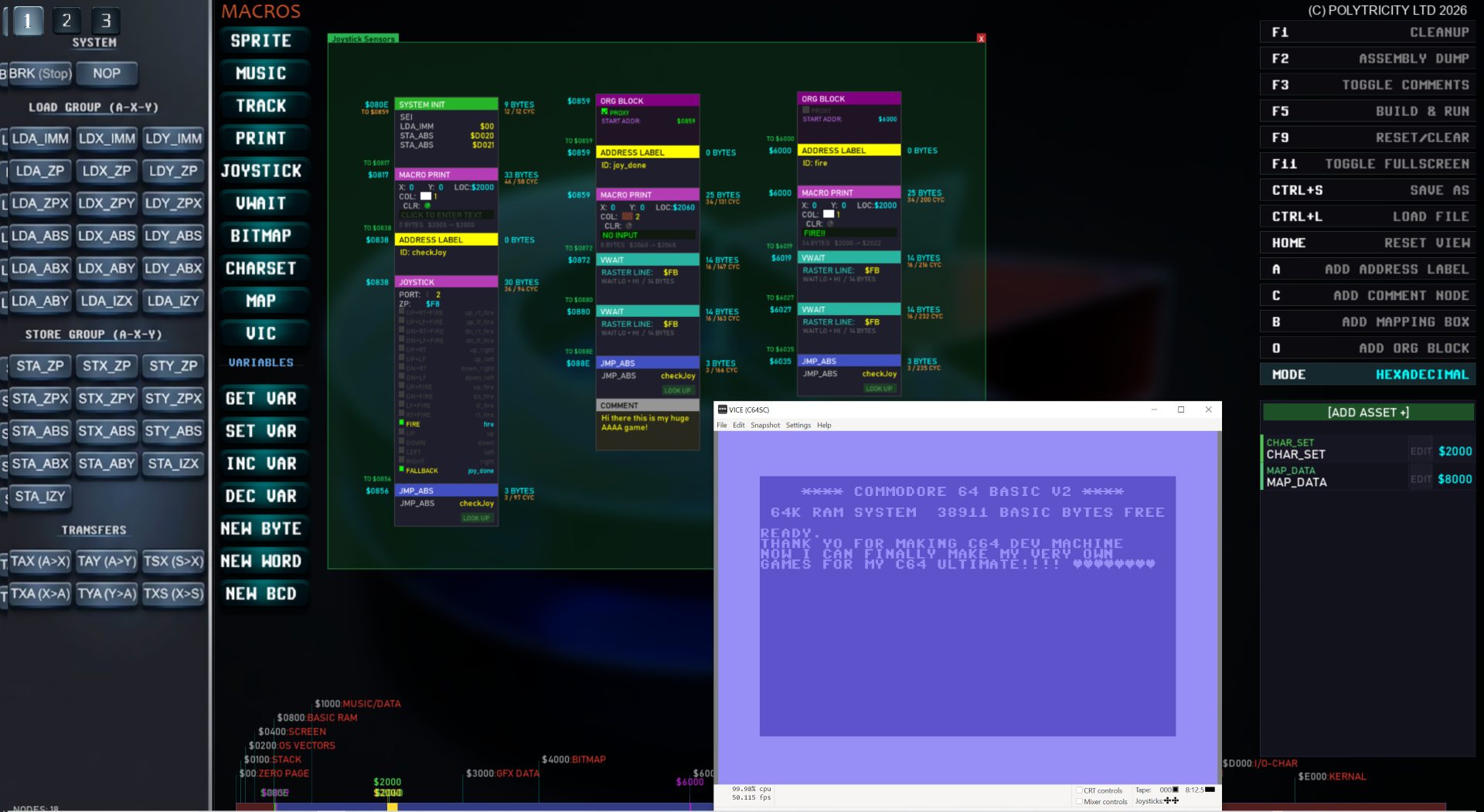
- Direct testing, Press F5 and up pops VICE! F4 to Export and test on C64Ultimate
- Label support Lo/Hi, string, byte, Decimal, Hex
- Org-blocks: place re-addressed nodes anywhere in the workspace
- Mapping-boxes: Organise your space find you code with ease.
- Load Sprite data, Charset, Maps, Bitmaps and SID tune assets
- Import PNG and convert directly with fine-tune colour controls
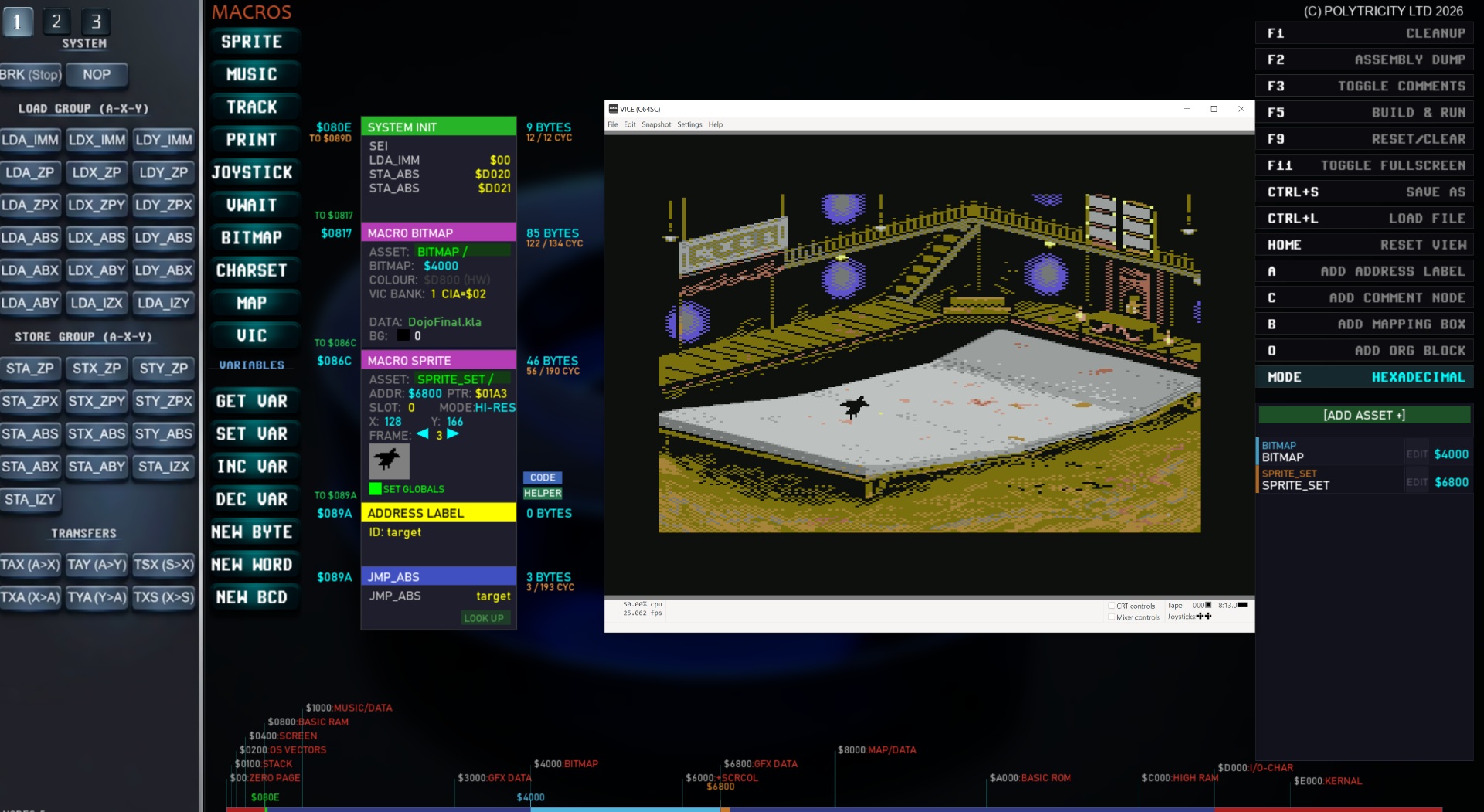
- Full Bitmap editing suite.
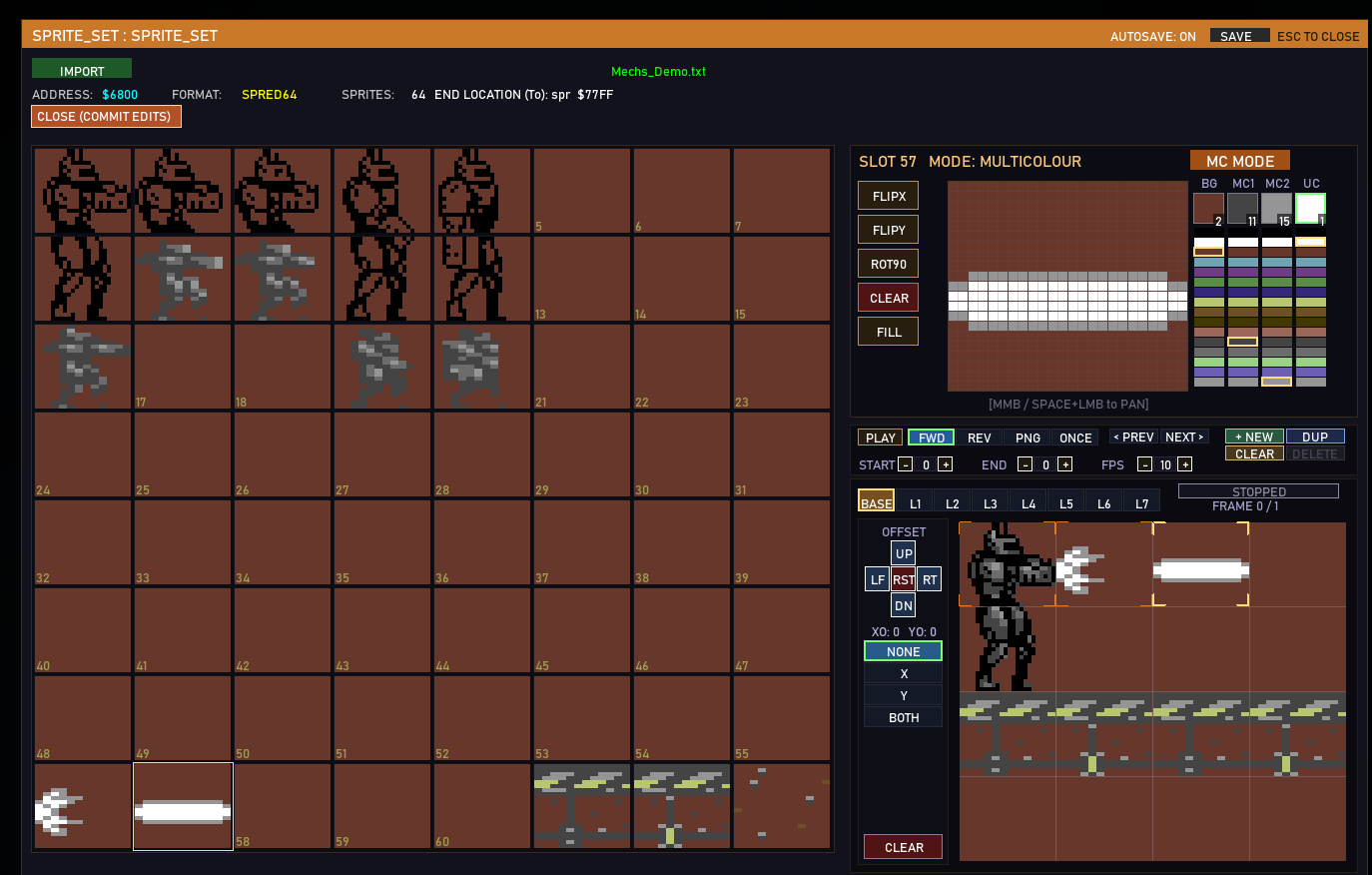
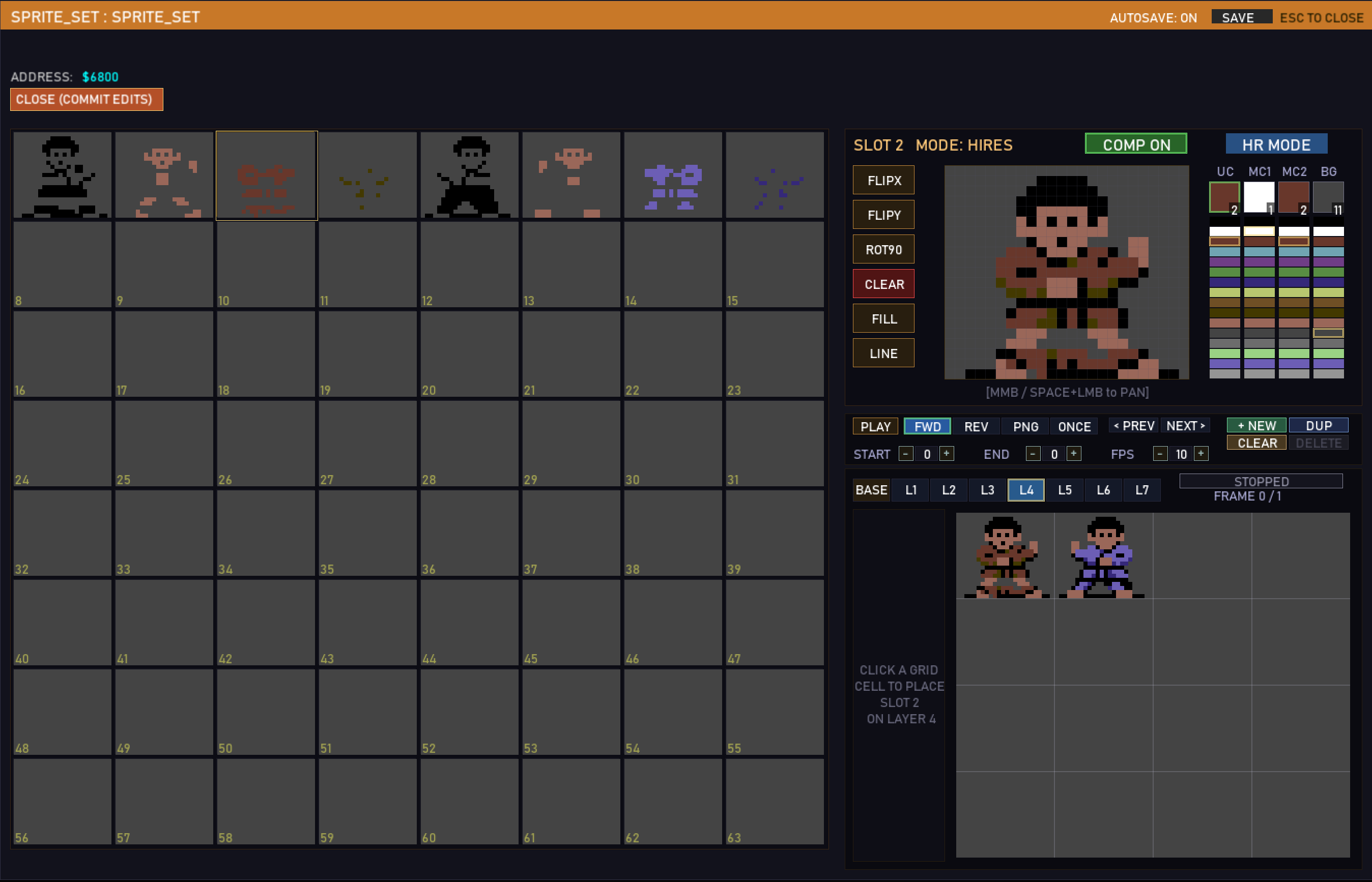
- Spred64 is integrated for full sprite editing
- SFX are extracted directly from the instruments of a Goatracker .sng
- Lots of CORE .json demo files being produced almost daily.
- Ability to make your first Machine code games and tests! (better than basic!)
- All files are embedded into a single Json file, share away!
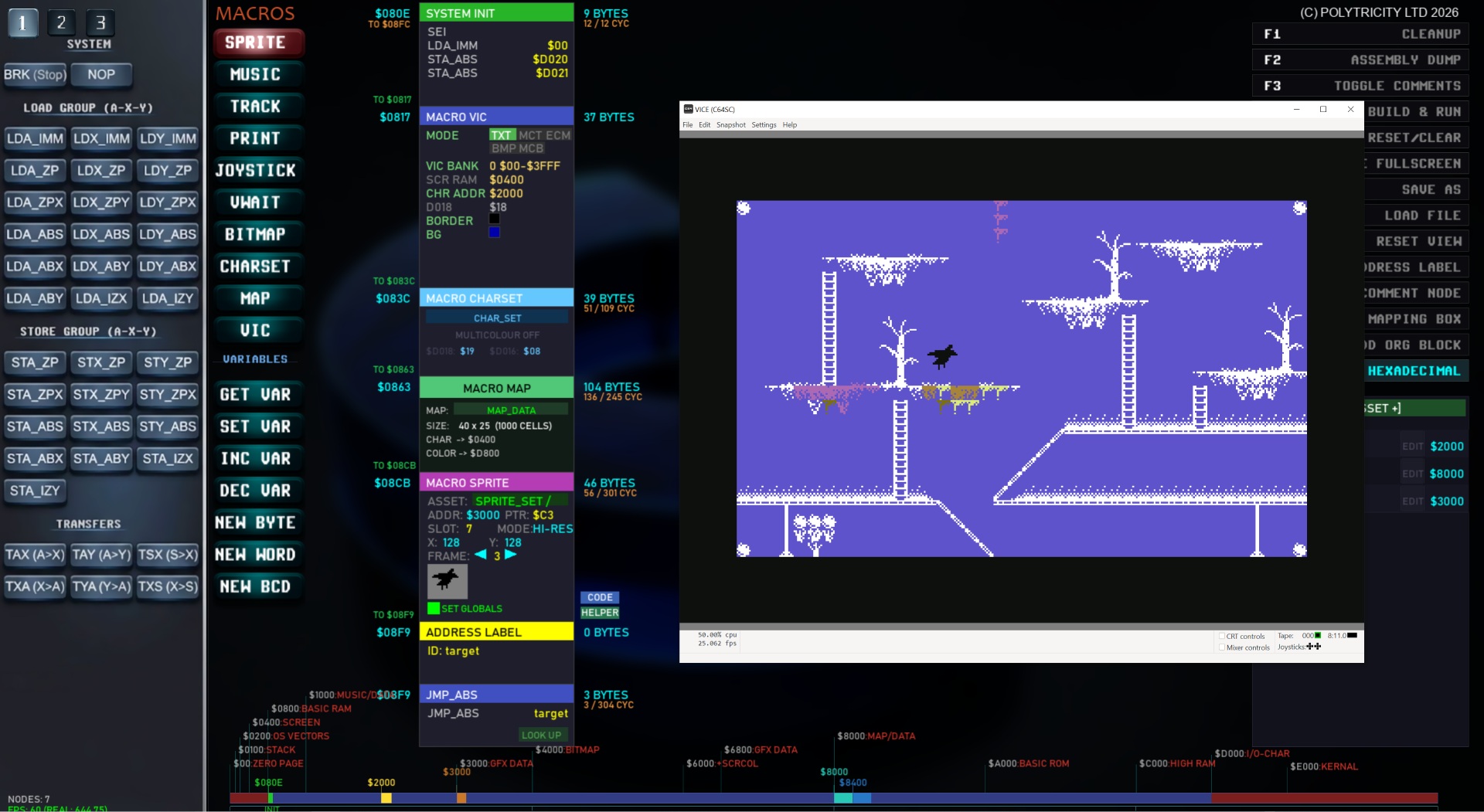
- Full Charset and map editor (many more features planned)
- Map editor + Meta tiles
- Bitmap Editor
- Setup custom IRQ's using the IRQ Handler (PRO VERSION)
- Add your own Assembly code into code blocks! (PRO VERSION)
- Sprite FlipX, Enable, Priority, Animate, Move and Collide!
- More things I have not motioned here like Map scrolling....(oops just did, spoiler alert!)
DOCUMENTATION is READY but much more to update over June 2026.
NOTE:
THE LITE VERSION has most all features required to make anything except for the advanced CODE IRQ Handler blocks and MOVE MEM... so you can still tinker your heart away with the majority of features including the fully upgraded charset, map, sprite and bitmap editors!
C64 Dev machine is considered to be in an ALPHA state, not fully functional and good for tinkering and learning until it reaches version 1.0.
Purchasing the FULL version supports the development and you get infinite updates at no extra cost.
For Exclusive updates, more tips and direct help in using the software. JOIN THE DISCORD
USEFUL MEMORY MAP LINK: https://sta.c64.org/cbm64mem.html
ASSEMBLY MNEMONICS: https://www.c64os.com/c64os/programmersguide/?s=devenvironment
COMING NEXT (Aiming for a solid version 1.0 by AUGUST 2026)
(progress is slow because I am implementing many may features into this)
- Map Editor major feature work for map making with predefined stamps
- Meta Tiles full support
- Vertical scrolling systems
- Multi-directional scrolling
- Bitmap building tools (for runtime bitmap building by elements)
FAQ:
- Do I need to know machine code in order to use this? - Not immediately but it will truly help you to learn it because it has bigger instant results, want a bitmap? Done, want a sprite to move, done!
- Can I shop games made by it? Yes of course, if you do well from it, well done, just be sure to credit the tool!
- Can it support disk / tape versions and loaders etc? Disk support so far, Tape and Cart coming soon.
Join the discord! https://discord.gg/PdWR3bVzSV
Purchase
In order to download this tool you must purchase it at or above the minimum price of $7.50 USD. You will get access to the following files:
Download demo
Development log
- New update - History in the making with Dev machine3 days ago
- New in V099.923 days ago
- Bitmap Builder - improvements made5 days ago
- Bitmap Builder - Initial version working6 days ago
- General Update and fixes10 days ago
- C64 Dev machine - Vector Bitmap system10 days ago
- BANK Unlocker METATILE map Updates15 days ago
- Spritepad Charpad Metatile 1x1 to 8x8 Kernal Lookups!18 days ago
Comments
Log in with itch.io to leave a comment.
Since 1985 I've wanted to remake the brutally-tough platformer China Miner, so that normal human beings could play it. Thanks to your efforts I've been able to start redoing the sprite sheets and maps. One day, my childhood dream of a playable China Miner will be fulfilled, thanks to my newly-received (and long-awaited) C64 Ultimate, and your wonderfully intuitive dev system. Although still being developed, this was an easy purchase decision, and has reignited my decades-old interest in 6502 coding. Thanks for all the obvious hard work you're putting into this.
Thank you for the kind words. I look forwards to seeing your progress with the remake. Indeed, I will continue to improve this development tool as I too ha e a few games I want to make, C64 ultimate is another great reason too. Enjoy!
I wish for native Linux support.
After version 1 maybe, but you can use Wine, Whiskey or Crossover and it works.. have you tried that?
I just purchased your tool, will have to have a play now 😁😁
Thank you!!
No worries mate, you deserve it! Good luck with all, including City Cat? ❤️
SAVE AS doesn't seem to work in the latest MAC version or even in 99.79
Hot fix on the way 1.hour
Thank you! I love this program!
Thank you for the wonderful comment!
this tool is pretty amazing!
Thank you. The idea is, eventually we will be making games, and templates to share so you have a starting point, with no limit to what you can create but that of your imagination and the C64 / C64 Ultimate itself. There is so much more cool stuff to come that will help, this is just 4 months of rapid development so far!
No AmigaOS support no purchase.
AmigaOS.... sure okay, I lost 1 sale. My bad I guess lol.
Maybe ask AmigaOS to support windows and mac apps?
Have purchased this and liking it very much, much easier to use that C64 Visual Assembler (which is basically the same thing but I do not get on with)
That program however has one cool feature you do not have yet and I am hoping you can add it...
There is an option to set the IP address of the C64 Ultimate and then instead of compiling and running on VICE it sends it to theRam disk (Temp) on the C64 Ultimate and lanuches it there!
Any chance you can add this cool feature?
Actually, someone else mentioned it and I saw a video on it too... it WILL be added soon (maybe tonight!)
It is working perfectly, love it!
Hi, neither of the Mac files works on my Mac mini M2 pro with OS Tahoe 26.5. When I try to launch it, it's just bouncing once and stops launching. :(
Sorry about that. Looks like I will need to try to build on a newer mac... I will do what I can to get some help with this. I am about done with an updated version se will see how that goes too.
Is there a compatibility mode you can try running in, or check any virus guard is not blocking it... its all codesigned and whatnot. Maybe .dmg file will be better. I will supply that in the next update. Got a few users using Tahoe and is fine so could be something else.
Hi, V75 works now from the .dmg- Thank you!
For all you Mac users out there who've been itching to try C64DevMachine out, I can confirm that the new Mac upload is working just fine on my Mac mini M2 pro, which is a silicon machine. You just need to confirm you're happy to run it after dropping into apps and you're away.
Let's see some examples of what you all can do with this great application now, guys.
Dude, I cannot wait to get into this..!
So good!
Thank you, there is some tutorials here to help you: https://www.youtube.com/watch?v=bummBPOkp5E&list=PLDwNUwlf8I7ejOY_kKW8uw60fUdK0YqU7&index=1
Got my C64 Ultimate and giving it the dev machine treatment to welcome it to my world!
That's a cool tool!
Bought it today, even if I was not sure if it will run on my Mac and Linux. It's a Windows tool and I, as a Linux and Mac user, have no real Windows.
The good news: -- It's working... but...
Here is the magic. On Mac and Linux (Mint) I use Crossover (an enhanced Wine tool). It emulates the core Windows stuff, without the need of an Windows license.
The Vice coming with C64 Dev Machine won't work with Crossover (and Wine). But there is some more magic!
Ok... Call you self a wizard and start the C64 Dev Machine in Crossover on your Mac or Linux machine.
OMG... You will get some errors. Seems like C64 Dev Machine will not start...
Keep calm! No Problemo! A bit strange, I know, but it seems that the tool likes to start in full screen mode, which crashes in Crossover...
Do Not Panic! Just click the messages 4 times away and this wonderful tool runs.
Moment of truth... Will It Blend? ...
Yes it will!
The default program is a black Border and a black Screen. (F5) or better click on "Build and Run", mighty User!
Wow 😃🤩 yes total wizardry! Soon the support will come. This is human inspiration right here!
Thank you! C64 Dev Machine (2026, Polytricity)
Thank you for the share <3 <3 <3
I am going to make new example files up for the demo version as well as the newer version soon. I will update later today.
Hi There, I bought this on the 03/03/26 and now I don't have access to newest version 073 is this intended or mistake ?
I think I know what it was, I set the minimum price up from $5.00 to $7.50 for the latest ones which I realised now would have locked access to buyers who paid $5.00 so I have put that back to $5.00 which makes sense. So in effect if you bought into it early, you get access to newer versions, I just need to keep that set to $5.00 for the duration of the project :/ My bad. Let me know if you have access now as I had to mess about with price setup and what is a demo and stuff.
I think this is an issue with raising prices at my end, apologies for that, I will keep the updates at $5.00 minimum moving forwards so you have full access to this project.
Cheers, Robert.
Have access again Thank You
Great, no problem. Thank you =)
Looks interesting. At first glance my main suggestion for an improvement would be to have tabs at the top so different modules (e.g. player, enemy, IRQ, Hud, GameOver) can be kept separate rather than a huge scrolling area. Perhaps with a separate panel that allows access to labels defined in other modules.
Although it seems to be aimed at people who already know 6502 and the C64 very well and just offers a different way of working, the drag & drop format with a bit of tweaking seems like it would be perfect for teaching beginners.
For example 'LDA IMM 35, CMP 52, BNE COURSE_NOT' means nothing to a beginner but 'Put 35 into accumulator, compare accumulator with 52, if accumulator is not 52 goto COURSE_NOT' is more understandable, and the underlying instructions could still be shown so they begin to make that connection.
Thanks Arlasoft for the suggestions, they will be useful as this grows. I have comment nodes that will be good to give that kind of teaching side and I will make up a series of files for that at some stage too, as well as make a game with it. In most cases it is as close to coding in assembly as you could get but node based. The macros themselves could contain those things like Hud (with font asset, number of characters for score, Position etc) then the address it would fetch the data from and so on... It's forever evolving and I am in free-fall just trusting the process hoping things will click into place.
Once the core work is done, right now getting assets and character sets imported and then a collision macro set-up, more things will come to the forefront of what works for me and for the new-comers will start to take premise. Looking forwards to seeing what people can make in any case, even at this early stage.
Each macro has (or will have) a CODE and HELPER button, the code shows the full breakdown of the instructions used, MACRO_SID is pretty big, the helper explains a little about its purpose only. I will have extensive documentation about each opCode but much of that is just extrapolations from what one can find online, so I hope this fills a void for anyone wanting to take a leap from basic to assembly.
Great advances have been made! Update next week!!
Great work! I've been using yormesyx64 for a while now, and everything is automatically placed in memory. You can also do it yourself there; maybe something for in c64 dev machine. I'm curious to see how this program develops. I'll definitely use it later.