
Painterly processor
Turn renders, sketches and photos into painterly game art, generate matching normal maps, and split sprite sheets into individual assets, one image at a time or a whole folder at once.
Try the free demo right here in your browser, then grab the full Windows version for batch processing, sprite-sheet parts and the Paint room.
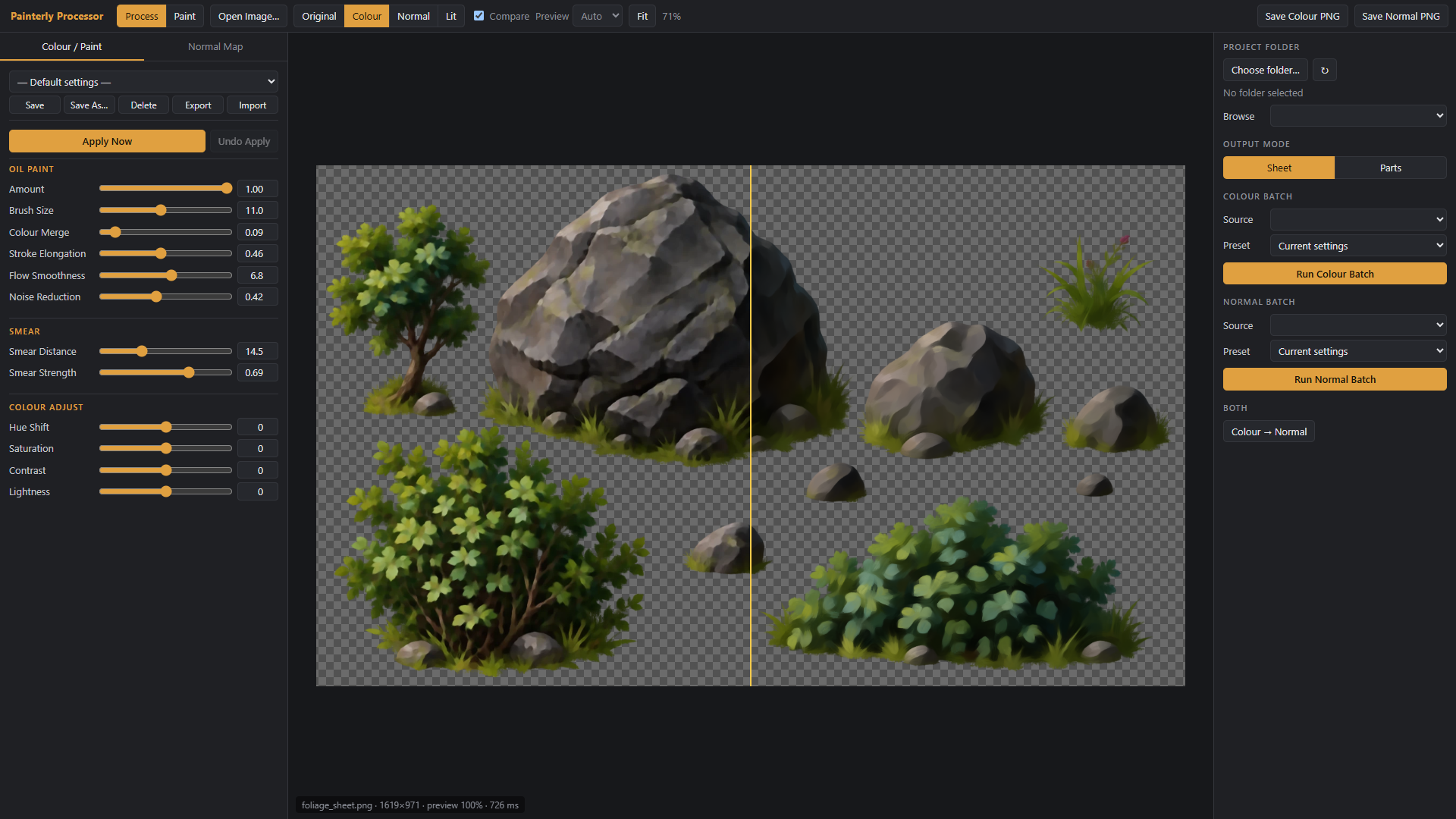
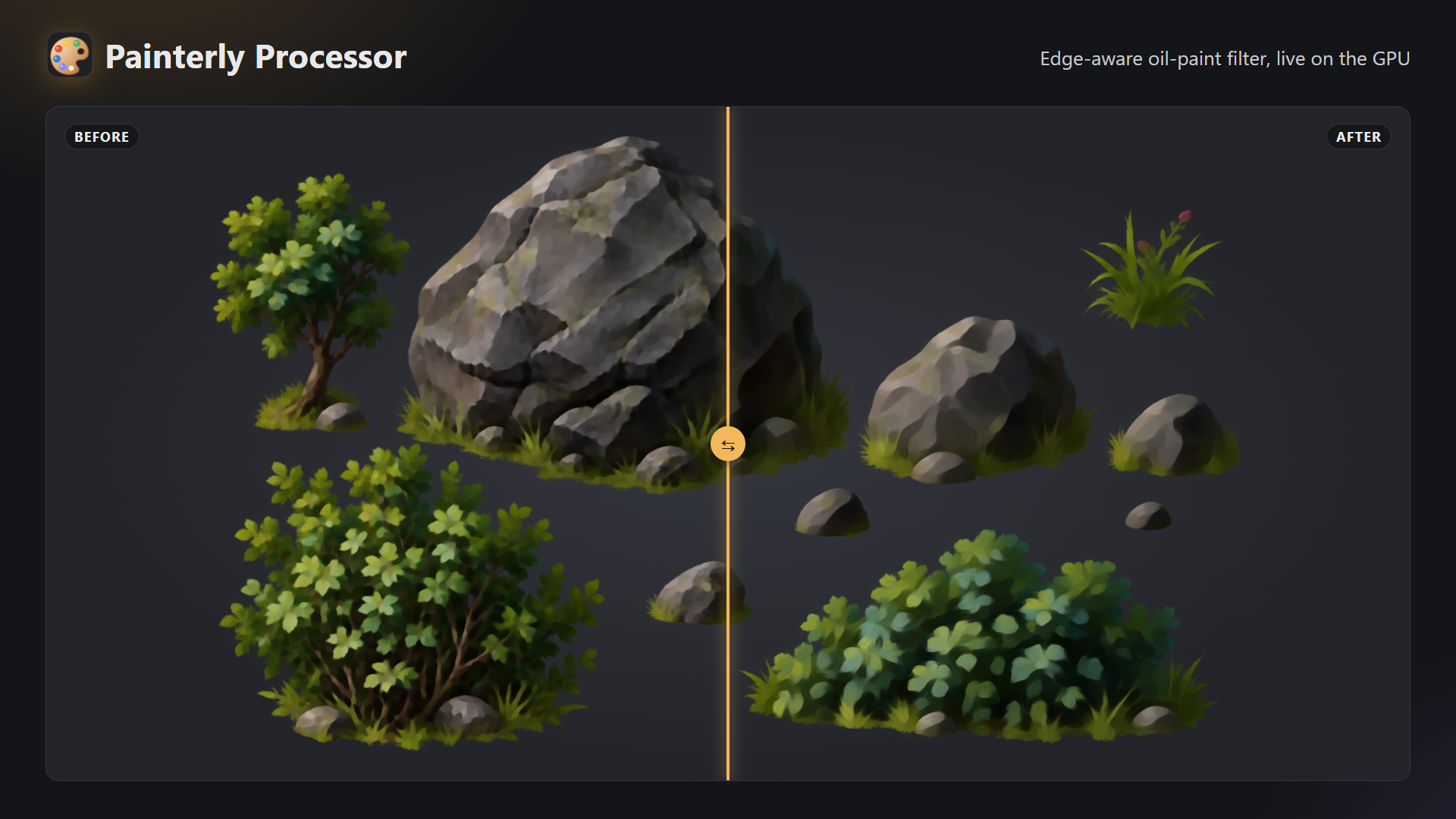
Oil-paint look, in real time
An edge-aware paint filter smears colour along the forms in your image. Tune brush size, colour merging, stroke elongation, flow smoothness, smear distance and noise reduction, plus hue, saturation, contrast and lightness. Everything updates live on the GPU, and transparency is always preserved.
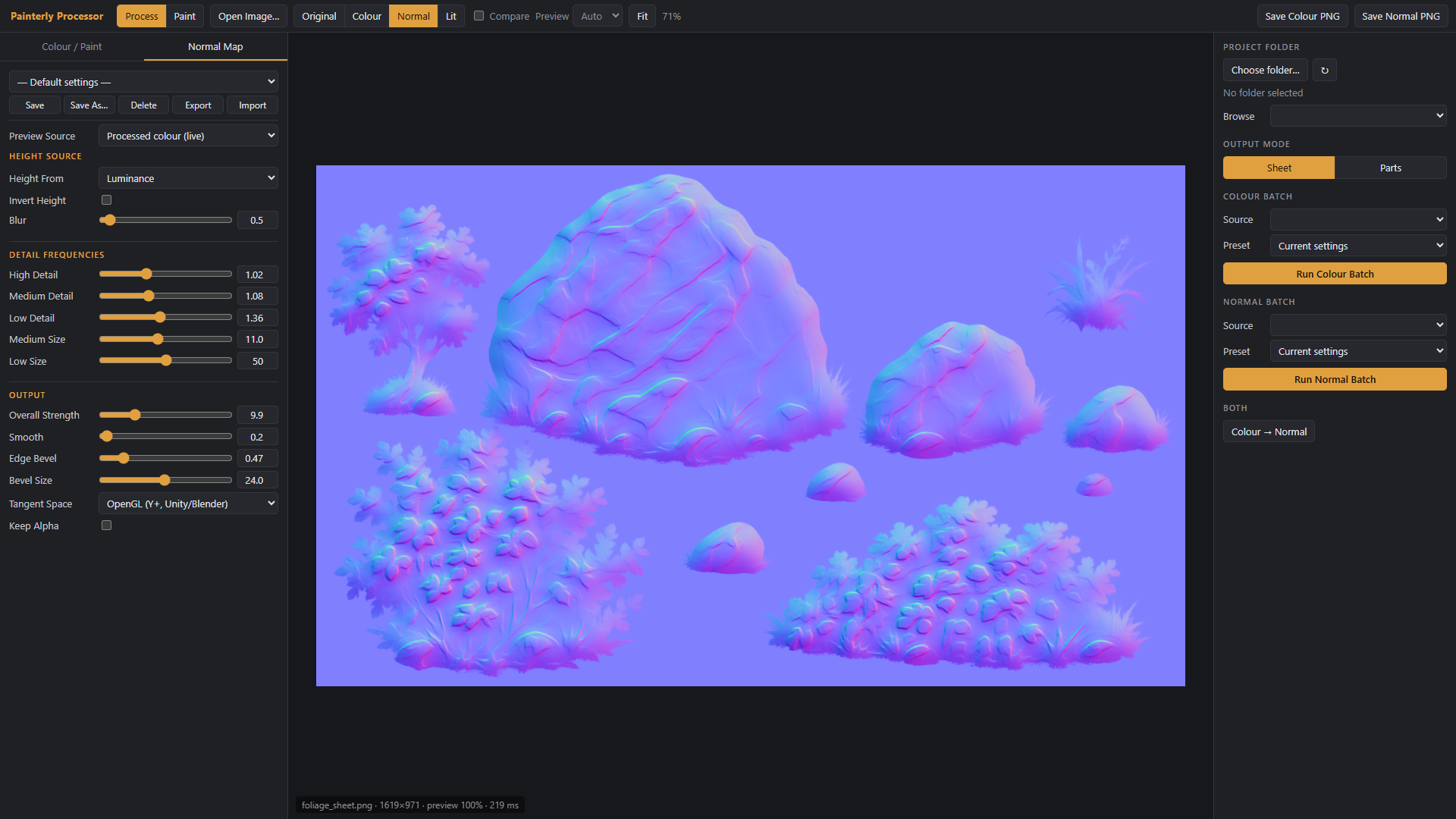
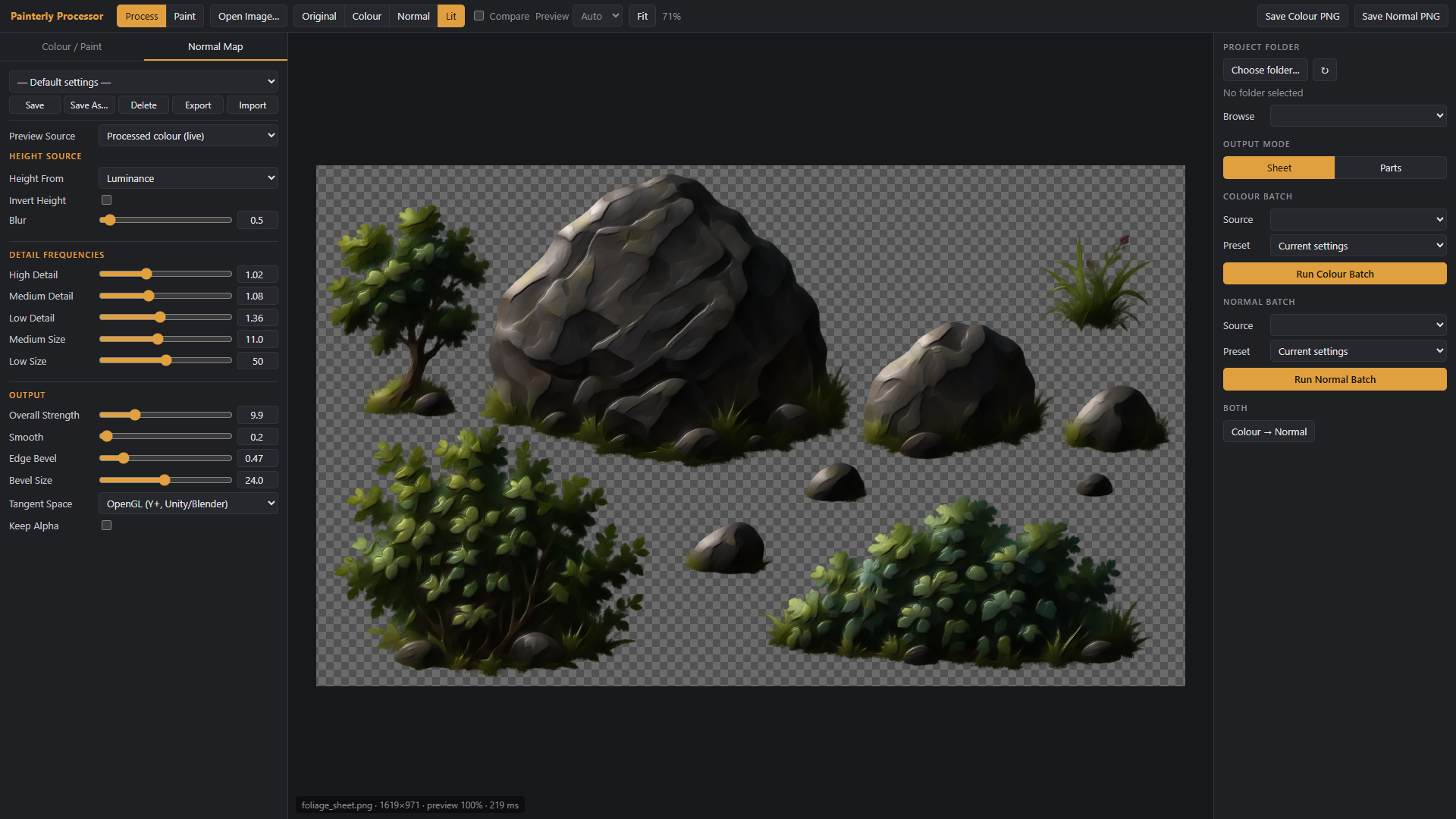
Normal maps that match
Generate tangent-space normal maps (OpenGL or DirectX) from the painted result, with separate high, medium and low detail strengths, blur, smoothing and an edge bevel from the alpha outline. Transparent areas stay a perfect flat 128,128,255. Check the result instantly in the Lit view with a movable light.
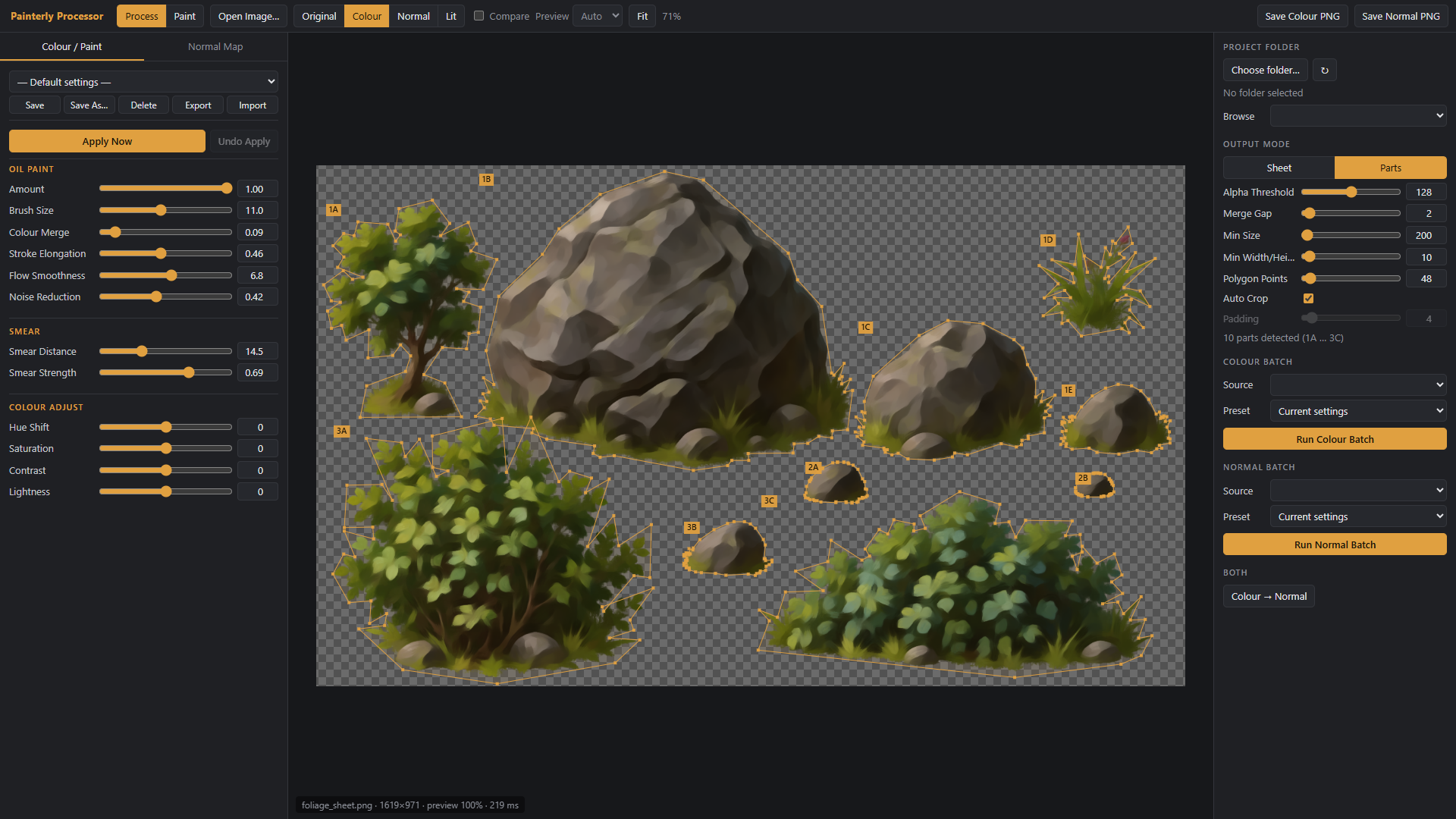
Sprite-sheet parts (full version)
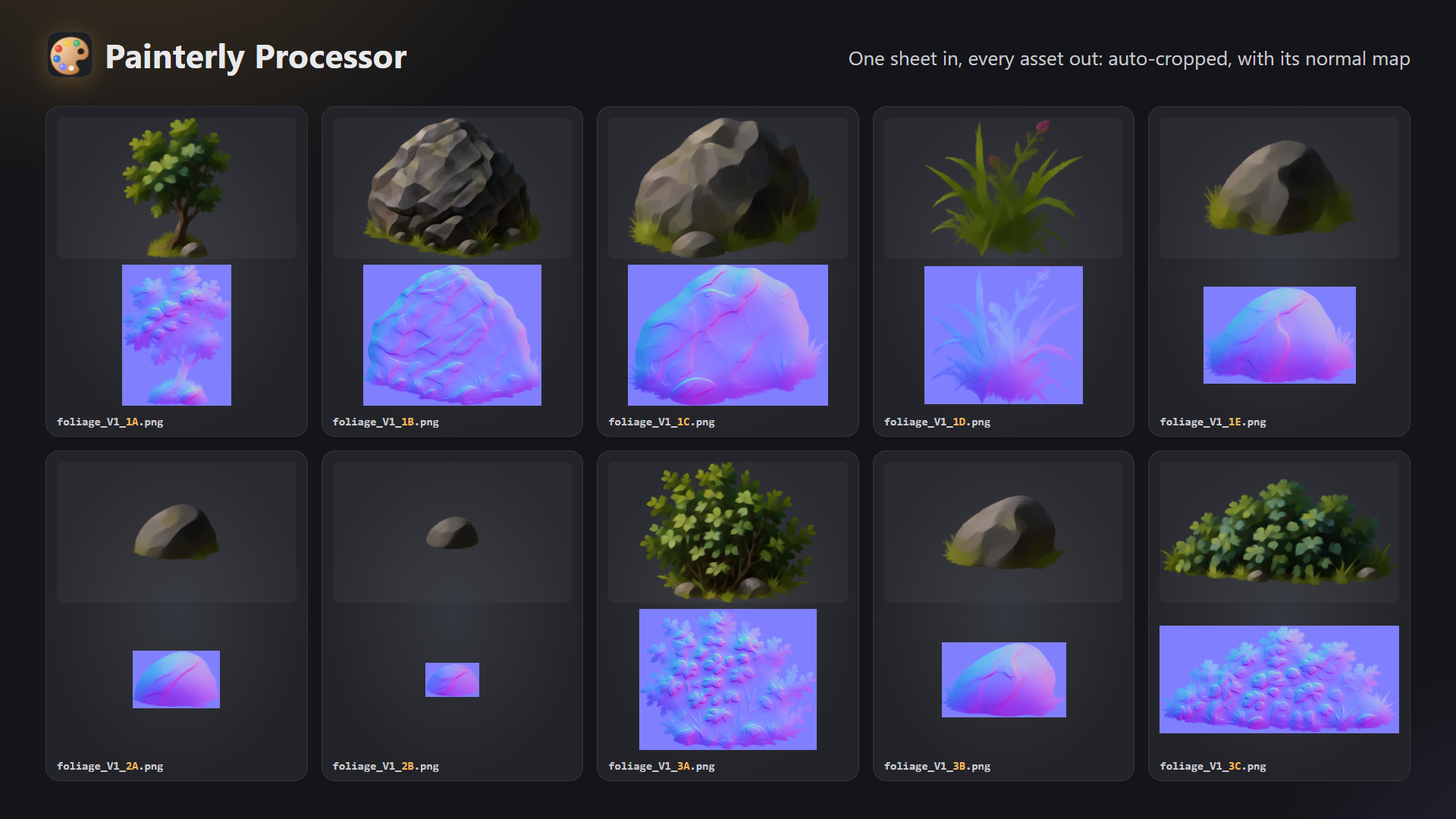
Drop in a sheet of props on a transparent background and every separate asset is detected, named by row and column, auto-cropped and exported as its own file, with its matching normal map. Each part also gets a cutting polygon of up to 1024 points, saved as JSON for sprite meshes.
Example: rock_V2_1A.png, rock_V2_1A_Normal.png
Batch whole folders (full version)
Save your look as a preset and process an entire folder in one click. Each run goes into a new versioned folder (processed_V1, processed_V2...) so nothing is ever overwritten, and normal maps go into a matching _Normal folder.
Paint room (full version)
Touch up results by hand without leaving the app: layers with blend modes, brush, eraser, smudge, blur, clone, fill, dodge, burn, sponge, selections and layer adjustments, with Photoshop-style shortcuts and full pen pressure for Wacom, XP-Pen, Huion and other Windows Ink tablets.
Free demo vs full version
Free browser demo: oil-paint filter, colour adjustments, normal maps, presets, single-image PNG export.
Full Windows version: everything in the demo, plus folder batch processing, sprite-sheet parts with polygons, the Paint room with pen pressure, and opening output folders straight in Explorer.
Licence
Buying here gets you the Indie licence ($5): for individuals, and for teams or companies with under $100,000 a year in revenue or funding.
Larger studios, companies, schools and other organisations need the Commercial licence ($20), which also covers employees and contractors. It’s available on ArtStation: LINK FOR COMMERCIAL LICENCE
Your art is yours
Everything you create with Painterly Processor is yours to use in personal and commercial projects, with no attribution or royalties.
Requirements
Full version: Windows 10 or 11 and a graphics card that supports WebGL 2 (practically any from the last ten years).
Demo: any modern desktop browser (Chrome, Edge or Firefox).
Installing
Download the zip, extract it anywhere and run Painterly Processor.exe. No installer needed.
Because this is an independent tool without a paid code-signing certificate, Windows may show "Windows protected your PC" the first time. Click More info, then Run anyway. Using the itch.io app avoids this and keeps you updated automatically.
Download demo
Development log
Leave a comment
Log in with itch.io to leave a comment.