GoatTracker-Enhanced V3
A downloadable tool for Windows
EHANCEMENTS to V3:
Added undo and redo for up to 128 edits. Use Ctrl+Z to undo and Ctrl+Y or Ctrl+Shift+Z to redo.
Added a resizable window. Your window size is remembered.
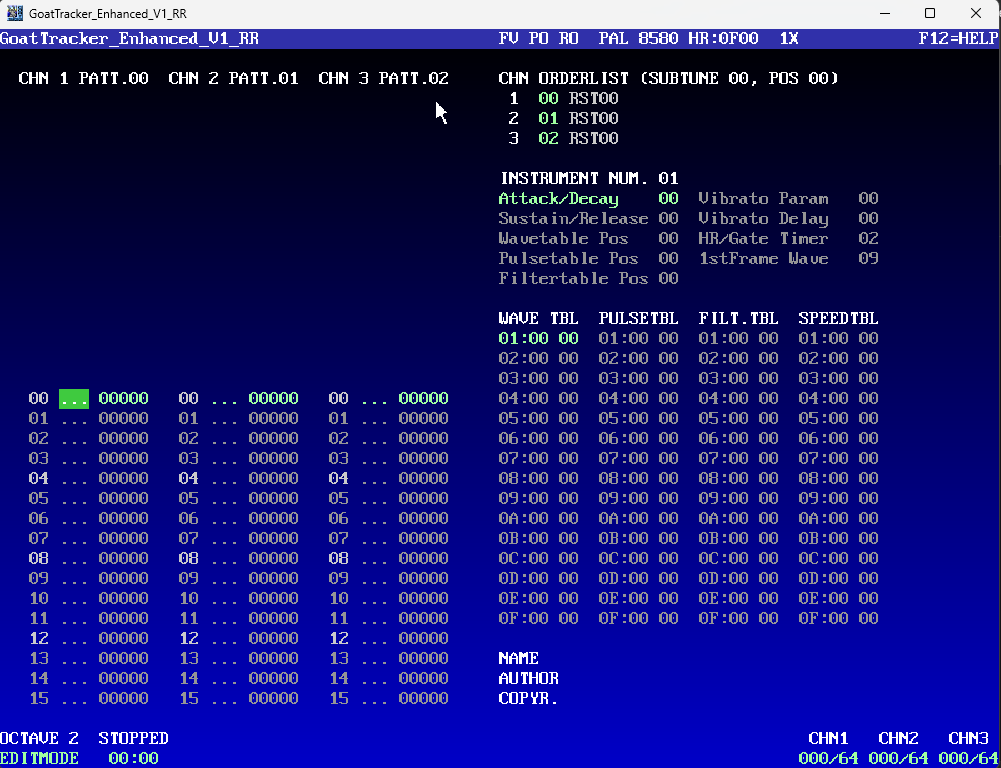
Added a blue-to-black background gradient.
Added a GRAD button to switch the gradient on or off.
Added note flashes behind each pattern channel. They fade upward and disappear over one second.
Saved window and visual settings in the app’s own INI file.
Added a recent folders list that remembers your last 10 locations.
Added mouse-wheel scrolling to the file browser, patterns and all four tables.
Added mouse-wheel scrolling to the song order list. Wheel up moves right; wheel down moves left.
Updated F2 to play from the song-list cursor and continue through the song, or from the pattern cursor when editing a pattern.
Alt-click or middle-click the order list to fetch its patterns into the editor.
Shift-click the order list to insert pattern 00 for one voice.
Ctrl+Shift-click the order list to insert pattern 00 for all three voices.
Alt-click or middle-click an instrument’s wave, pulse or filter pointer to jump to that table.
Last Ninja 3 - Earth song included.
Download
Click download now to get access to the following files:
Development log
- V3 - Enhancements and toggles!2 days ago
- Update V2 - 2609173 days ago
- Goattracker - Enhanced V16 days ago
Comments
Log in with itch.io to leave a comment.
Hi! Thanks for the update. I use GoatTracker pretty intensively at times, and I think it’s a shame that “enhanced” versions are often abandoned (too) quickly. Probably because of the low feedback and small user base — since it’s obviously a pretty niche app. So I hope you’ll keep it up and give us useful features that the original GT lacks 😁
Anyway, I have a few comments: any settings other than the original 800x592 resolution cause the characters to display incorrectly. Maybe it would be better to set this to 800x592 by default for all users instead of 1000x720?
GoatTracker was clearly designed with keyboard users in mind. If you want to introduce mouse controls, as you’re doing now, it might be useful to have, among other things, PLAY/STOP buttons on the screen that can be controlled with the mouse. These could be placed at the bottom of the screen instead of GRAD and FX. These are GUI features that you turn on/off and leave alone, because you either like them or you don’t. So constantly switching between them might be unnecessary. If I may suggest one more addition: a “recent projects” feature would be nice, so you can quickly load your most recently opened projects 😎 Keep up the great work!
Great suggestions, yep, let's improve this together. I will get to these next week!