C64-ENGINE V1.3.5
C64 Engine 1.3.3: level screens, isometric polish and your bug reports
C64 Engine 1.3.3: level screens, isometric polish and your bug reports
Level screens for map games - GET READY before a level, LEVEL COMPLETE after it - plus a fixes-and-polish update: the isometric editor is much quicker and easier to build rooms in, isometric games look cleaner on the C64, and map games get the fixes you reported - including one that could lose a level. Grab the new download from this page. Unzip it over your old copy and your projects and settings carry straight on, or let the studio tell you the update is here.
Level screens (map games)
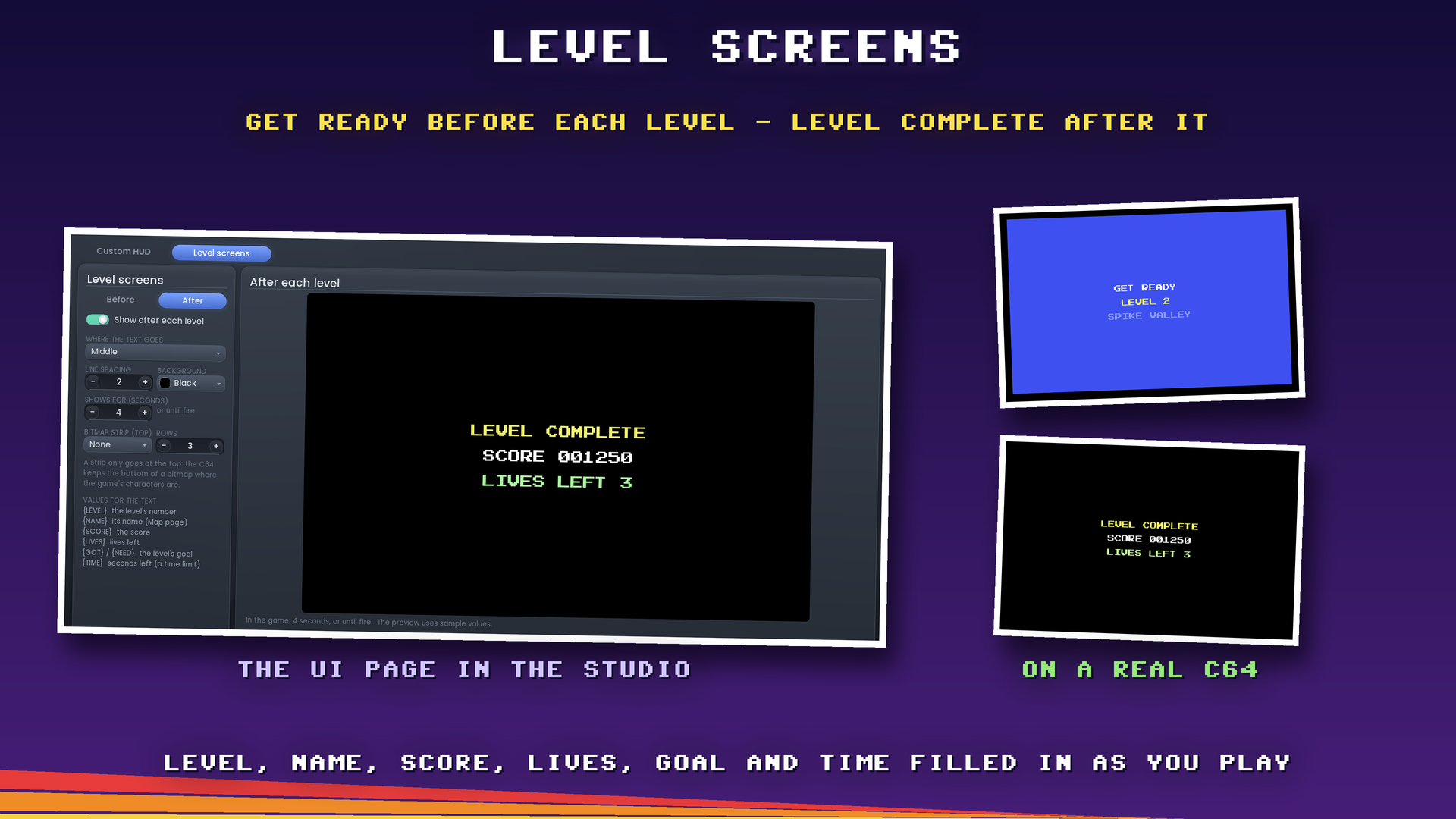
- Before and after every level: the UI page has a new Level screens tab. Switch on a screen before each level - GET READY, the level's number and name - and one after it - LEVEL COMPLETE and how it went. You asked, and here they are!
- Values filled in as the game runs: put {LEVEL}, {NAME}, {SCORE}, {LIVES}, {GOT} / {NEED} (the level's goal) or {TIME} (seconds left) in the text - "COINS {GOT}/{NEED}" shows how many coins the player found.
- Placed where you like: up to six lines, each left, centred or right in its own colour; the lines at the top, in the middle, at the bottom or from any row; one, two or three rows apart; any background colour. The screen stays for a few seconds or until fire.
- Almost no memory: the text uses the letters the game already has, on a clear screen - so your tiles and their colours never get in the way.
- A bitmap strip (Pro): the top one to three rows of one of your bitmaps over the screen - a logo above the text, split from it like the title's logo.
Map games: fixes from your reports
- All 16 levels are kept. Pro lets a map game have 16 levels, but a project saved with more than 8 lost the extra ones the next time it was opened, and the game only ever used the first 8. Both are fixed: every level is kept and built. If a level went missing, it has to be made again - sorry about that. A Level field in the custom HUD with 1 digit now gets a warning once there are 10 levels or more.
- Shooting faces the right way. With Turn to face left on (Animate page), a player who walks left, stops and fires now fires facing left, instead of turning back to the right. Firing straight up or down keeps the way the player faces too.
- Deadly moving platforms: a moving platform has a new Deadly switch (Enemies page) - a platform covered in spikes. Touching it loses a life, and it can't be stood on or ridden.
- Digging and dynamite in platformers: you asked for the cave digger's tile settings in platform games - they're already there. Switch on Dig and place on the Tiles page to dig, and add an item such as dynamite on the Items tab: Gives item, Opens with and Blasts away then show on every tile. In a platformer fire also jumps, so set the dynamite to be laid with down + fire.
Building isometric rooms (Pro)
- Much faster editing: painting a block or stacking one no longer rebuilds the whole game after every click - that could take seconds on an older computer. The memory bar shows a * and catches up when you leave the Rooms or Blocks page.
- Click any side of a block: the Rooms page now picks the exact face under the mouse and outlines it. Left-click a block's side to swap just that block for the one picked, right-click to take it out (the ones above drop down). Shift+click a top swaps the top block, and Ctrl+click picks a block up to stack with. No more taking a whole stack apart to change one block.
- Show across x / y: hide the rows in front while you edit, to get at what's behind. Only the editor's view changes - the room and the game keep everything.
- Making a room smaller keeps what was outside: it comes back when you make the room bigger again, even after saving.
Isometric games look better on the C64
- The player stays in front of what's behind him. The C64 can only put a whole sprite in front of the scenery or behind it. When a corner of a block in front overlapped the player, he went behind everything - and seemed to sink into the platform he was standing next to. Now he only goes behind when the blocks in front really cover more of him.
- No more stair-step edges. Each C64 character has room for one colour of its own, so where a white platform met the blue back wall the edge came out jagged. Now the back walls give way, and a pixel that can't keep its colour turns into the closest one it can have - clean edges, with the wall just a little plainer right beside the block.
- Colour clash (World page) chooses who keeps the colour where two blocks meet: Best match (the least change to the picture), Front keeps its colour, or Most pixels. The Rooms page shows exactly what the C64 will.
- The Iso Keep template's throne room has its pillars a step away from the dais, so they keep their green.
Thanks for the detailed reports and the screen recordings - they made these fixes easy to find. Keep them coming!
Comments
Log in with itch.io to leave a comment.
Hello Polytricity, Thank you for the latest update to c64Engine (this version seems much more stable to me).
I encountered this bug (platformer):
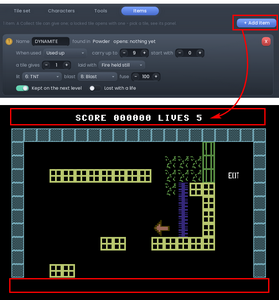
-The score banner appears after creating an item, even though “Score” is set to OFF in the HOME menu.
-When the player restarts a level (immediately after being killed), the direction of their shot goes in the opposite direction from the player's.
-When a moving platform moves diagonally from point A to point B, it moves in a stair-step pattern if the angle is not 45 degrees.
New features to add for Tiles (IF POSSIBLE):
-This concerns their movement on the screen. It involves the horizontal/vertical movement of a set of Tiles (e.g., traps, stalactites, stalagmites, gravity-affected rocks—with an on/off option—that can be triggered when the player passes by, or when the player has a key to open a large door).
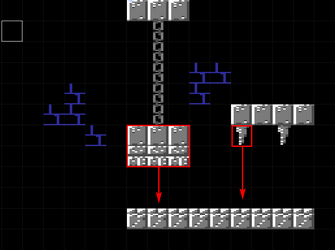
This is an idea that might be interesting for C64Engine
Sincerely,
Hi! Another awesome update! 😊
I noticed that there is an approximate 1-second vertical blind effect when the game is first started. I am not sure if this is because the graphics mode switches to bitmap/hires after running.
When only title screen music is selected, the music continues to play on the Level Screens Before mode, but then stops when the game starts.
Possible feature requests:
A timed attract mode that switches from the title screen to the high score screen and back again. Just for a few seconds, maybe 5 seconds? The fire button could be pressed at any time to start the game. This might fit in the Game settings section.
A bonus score for completing a level and maybe a timer x e.g. 50 points. The user could maybe select if this option is needed. This could be put on the UI / Level Screens section. Of course, again, if memory permits.
To place a sprite on a title or game complete screen for decoration.
Many thanks. 😊👍
Looking into it and the features seem possible, will work on adding for the next version.