C64-ENGINE V1.3.5
C64 Engine 1.3.2: platforms, time limits and Find
C64 Engine 1.3.2: platforms, time limits and Find
Three updates in one post: 1.3.0, 1.3.1 and now 1.3.2. Lifts and moving platforms that go where you want and as slowly as you want, a time limit for every level, a title logo over sharp text, a Find tool that takes you straight to any feature, and a pile of fixes from your bug reports. Grab the new download from this page. Unzip it over your old copy and your projects and settings carry straight on. If you're on 1.2.9 or older, the studio will tell you the update is here.
Moving platforms, your way (1.3.2)
- Point A to point B: a moving platform's new Goes to (Enemies page) sends it in a straight line from its spawner to a square so many tiles across and down - at any slope, like 4 across and 1 up - and back again, over exactly the same pixels every trip. The Map page draws the line and marks point B.
- Slower platforms: speeds of 0.75, 0.5 and 0.25 pixels a frame, for a lazy lift you have time to think about.
- Top and bottom rows: a lift going up and down can turn round at the map rows you choose, as well as after its Distance or at a wall.
- Scrolling: platforms keep going when they slide off the edge of the screen, so a long path doesn't start again from its spawner each time you scroll away and back.
Time limits and title logos (1.3.2)
- Time limit: each level of a map game can have its own (Map page). The score bar counts it down as TIME 000, and at 0 a life is lost - or the game is over. Single-screen games: Count down the seconds on the Levels page, and a new WHEN The time runs out rule says what happens. The custom HUD has a Time field.
- Title style (Pro, map games): the top rows of a title bitmap - a logo - over the characters you drew on the Title page, so the logo sits above sharp hi-res text.
- Your own .SID tune can play one of its songs on the title screen and a different one in the game - or no music in the game at all, just the sound effects.
- The page tutorials (F1) and the guided tour cover all three.
Fixes from your reports (1.3.2)
- With Turn to face left and the joystick directions drawn, a player who stops after walking left now stays facing left, instead of snapping back to the right. Jumping and falling face the right way too.
- Riding a moving platform no longer plays the walk animation: the player stands still on it.
- The Map page draws enemies, platforms and the player start at their real size and in the place the game puts them - a sprite is wider than a tile, so it reaches into the next square, just as in the game.
- A slowed-down teleport spell no longer vanishes halfway across the screen: it flies until it hits a wall or leaves the screen.
New in 1.3.1
- Knock out actor (Logic page): a hit enemy shows another sprite - an explosion, a knight on the ground - lies still and touches nothing, then hides, gets up again at its start or a random spot, or stays down.
- A Shot actor can show a different sprite each way it flies (Actors page, then the directions on the Animate page).
- With big numbers for two players, Show the score after each point (Home page) can be switched off so the game plays straight on.
Find any feature
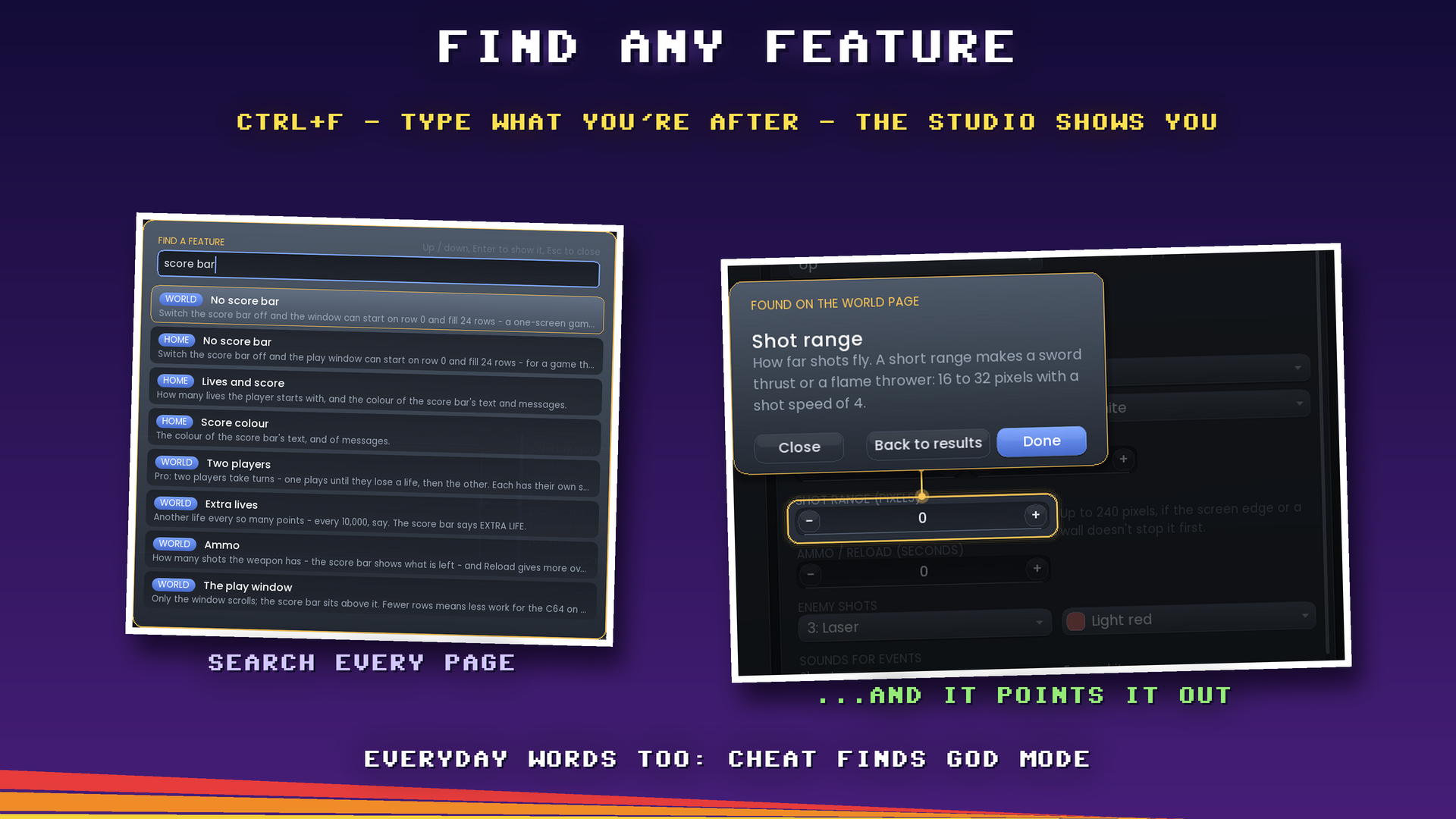
- Find (top bar, or Ctrl+F - Cmd+F on a Mac): type what you're after - "score bar", "double jump", "CharPad" - and pick a result. The studio goes to its page and points at it, just like the guided tour.
- It knows everyday words too: cheat finds God mode, compress finds Pack the program, teleport finds Teleporters, boss finds Twice as big.
- Every control on every page is in there. Something that belongs to another kind of game says so, like "For single-screen games".
- If a setting is hidden lower down a page, the page scrolls to it.
A guided tour of everything
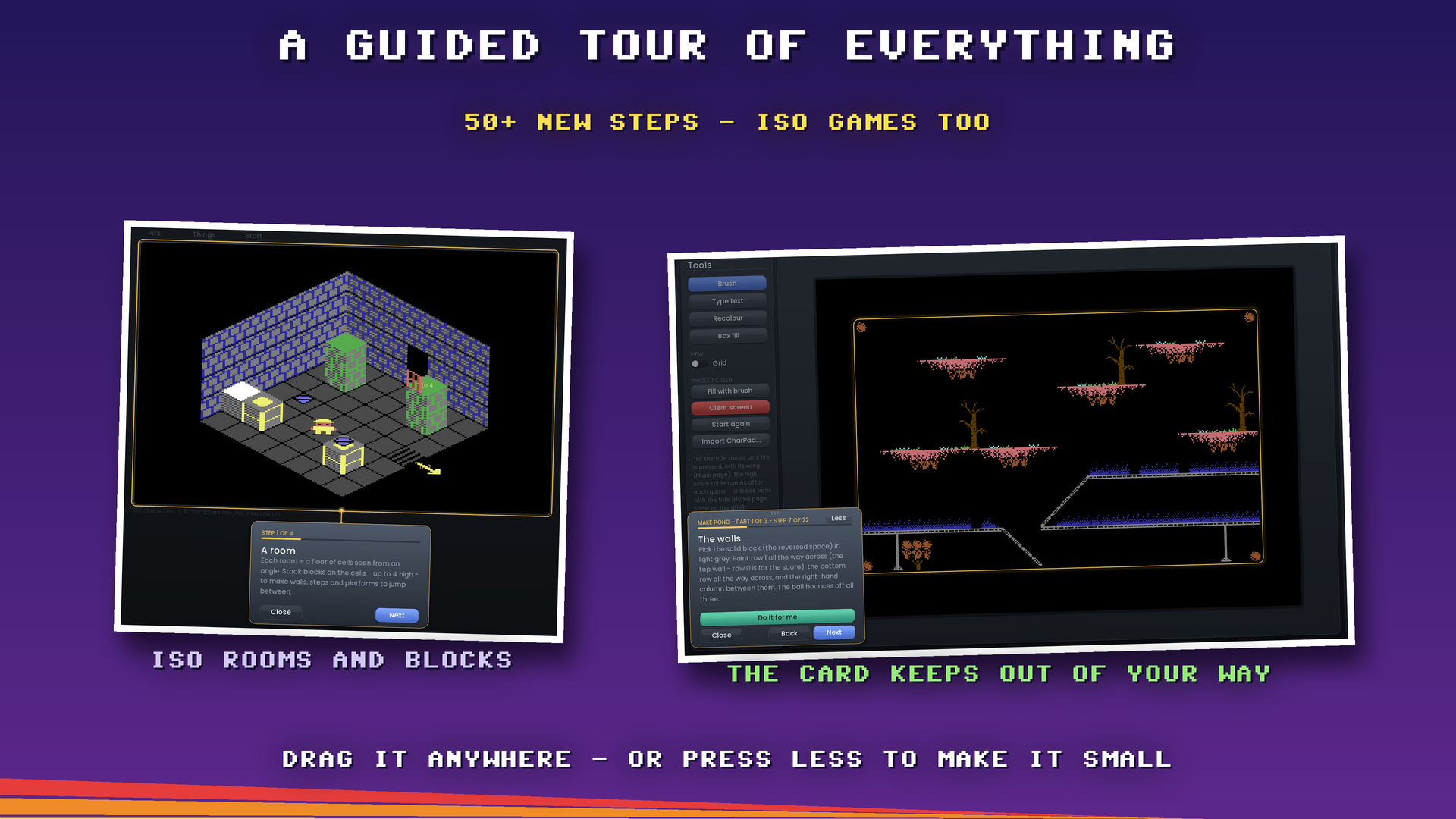
- Over 50 new steps for everything added lately: the overlay player, stomp and double jump, ammo, animated tiles, teleporters, springs, checkpoints, bosses, God mode, packing, your own .SID tunes and more.
- Isometric games get their own steps for the Rooms and Blocks pages.
- Each kind of game only sees the steps that are about it, so a map game's Title page no longer talks about actors.
- The tutorial card keeps out of your way: it sits at the bottom, top or a corner of the screen, wherever it covers least of what you need, with a line to the part it's about. No more pressing "Do it for me" because the card was over the character set. Drag it by its top to put it anywhere (it stays there for the rest of the tutorial), or press Less to shrink it to its title and buttons.
The whole screen for your game
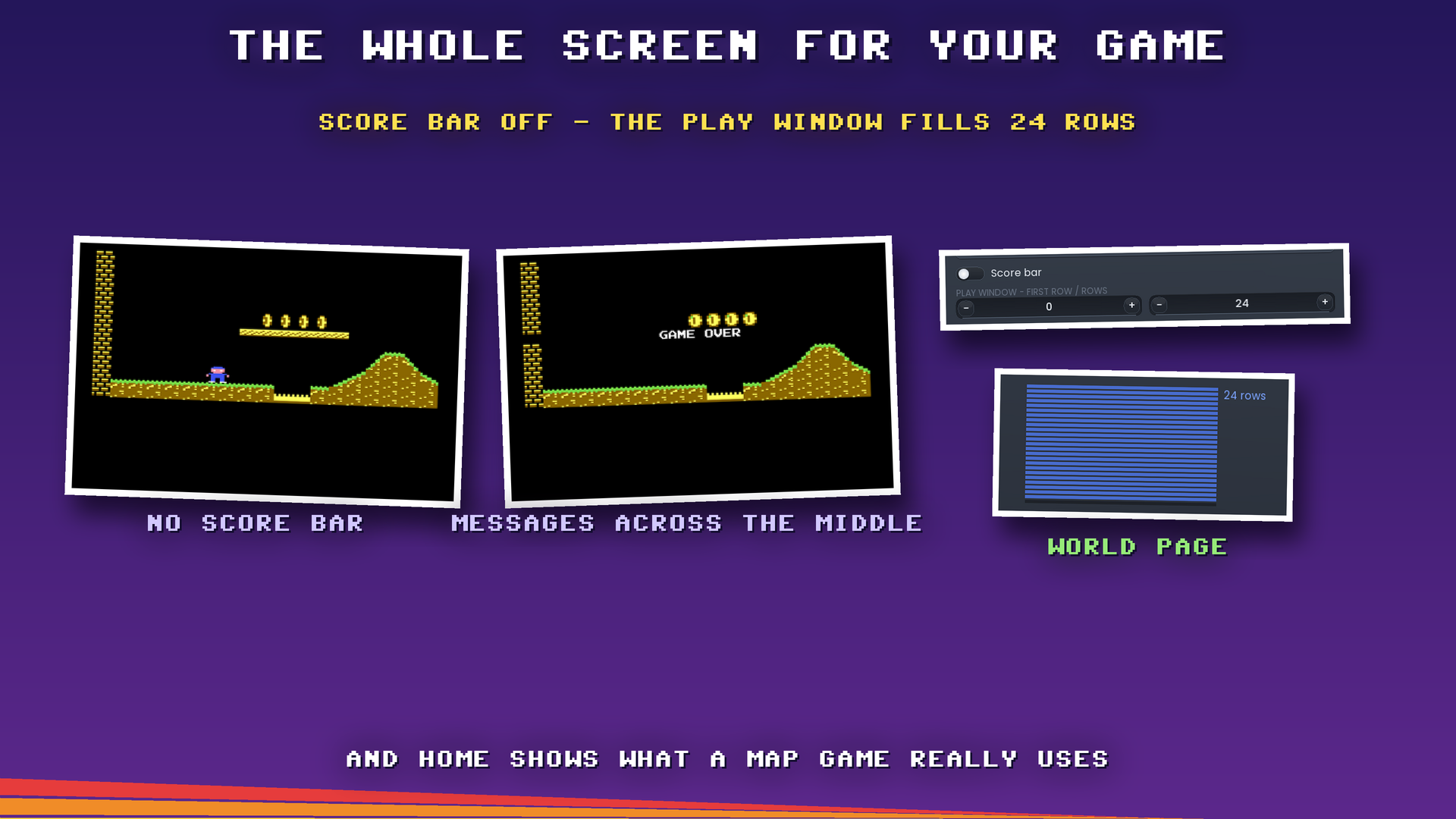
- Score bar (World page, and Home): switch it off and the play window can start on the top row and fill 24 rows - for a one-screen game that needs the lot.
- GAME OVER and the other messages then show across the middle of the window.
- Fixed: in a map game, the Home page's Show score and Show lives switches did nothing. Home now shows the settings map games really use: lives, the score colour and the score bar.
CharPad title screens
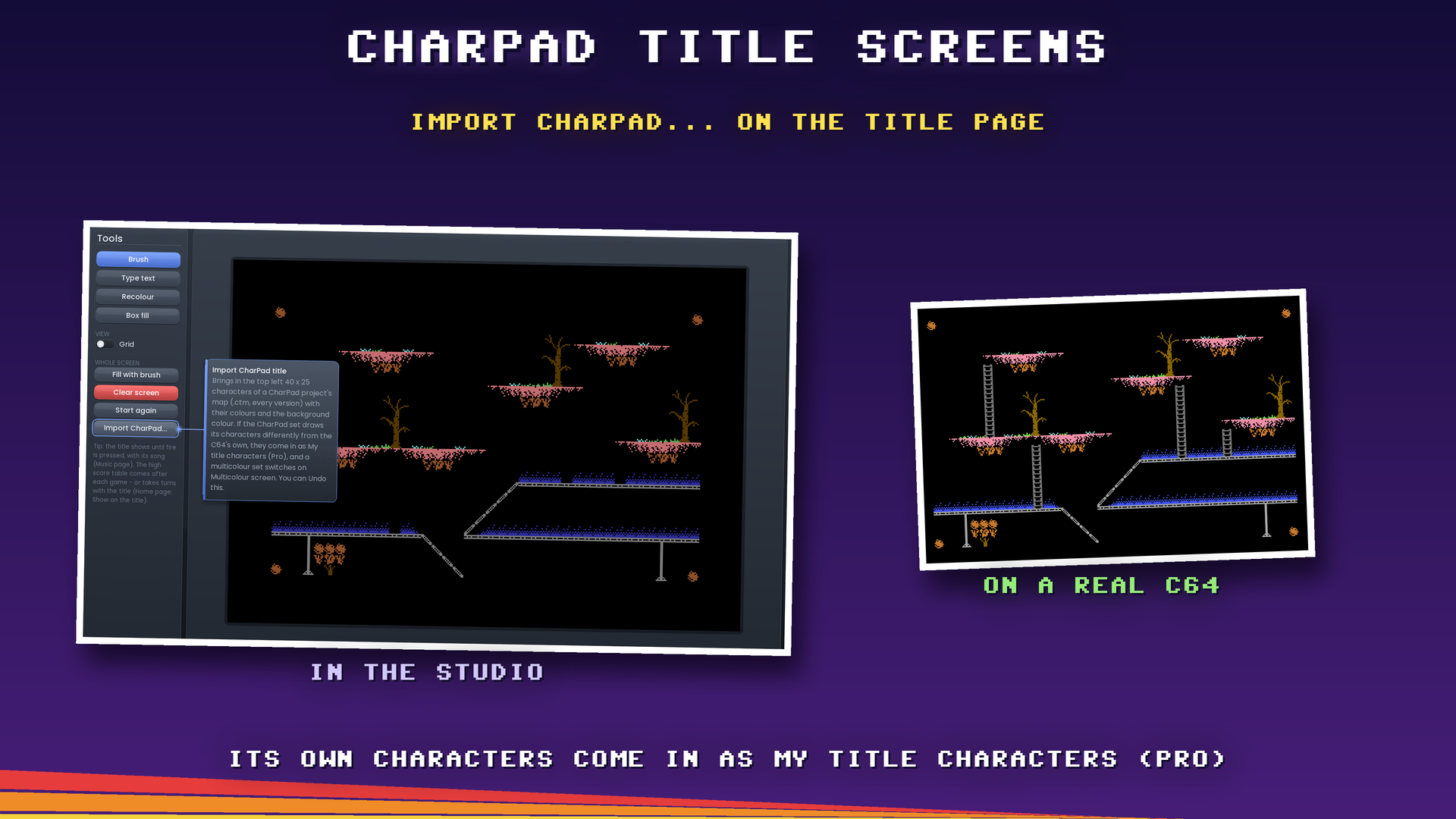
- Import CharPad... on the Title page brings in a .ctm: its top left 40 x 25 characters, colours and background.
- A set with its own characters comes in as My title characters (Pro), and a multicolour set switches on Multicolour screen.
Also new in 1.3.0
- What you see is what you get: with Colour per tile off (World page) the C64 shows every tile in the window colour - that's what makes it fast. The Map page and the tile palettes now show them that way too, the Tiles page says so beside a tile's Colour (with a button to switch Colour per tile on), and the Build checklist counts the tiles it changes. Make it fit automatically now tells you what it changed. Thanks, Crazy duck games!
- Shot range (World page): how far the player's shots fly. 16 to 32 pixels makes a sword thrust or a flame thrower. Shot actors on single-screen games get a Range too.
- Dynamite (and any item that's laid) can be put down with down + fire, or fire held still as before.
- Your own .SID tunes: a big rip can keep only the songs your game needs, freeing the rest of the memory. The tune's page says whose music it is.
- The title song plays under a title bitmap too.
- The screen goes blank while a level draws, so you never see it half built.
- Error messages stay long enough to read, and stay while the mouse is over them.
Thanks for all the comments, bug reports and ideas - most of 1.3.2 came straight from your posts. Keep them coming!
Comments
Log in with itch.io to leave a comment.
Hi!
Thanks again for another great update with features and fixes. 😊👍
Here is another update on my project with some of the features added in your recent updates. I need to tighten up the time for each level and will hopefully add those extra levels, making up to 10 in total. More tweaking and testing to do!
Is it possible to add an intermediate screen before each level, or after, to display centred with 'GET READY' and maybe 'LEVEL COMPLETE'? This could be as PETSCII or basic text with a font of choice, or just the Commodore font. This would keep the memory down to a minimum. The text could be displayed in the main game level, but I am not sure how that would look with the tiles and mixing multi-colour and hires. 🤔
The music in the YouTube video is called 'Enjoy the Funk' by Kent 'Powertrace' Valden. It's just a placeholder for the time being to show how the music plays.
Many thanks! 😊
Looking forward to the next and further updates! 👍
Thanks, I am on it, just patched a whole bunch of other stuff and was a bout to build an update, will do some PRE/POST level magic, maybe giving say 3 rows of bitmap too... yes memory restricting ofcourse. Some text options like summary info post level too...
Hi Polytricity, thanks for the 1.3.2 update.
There are still a few bugs to fix:
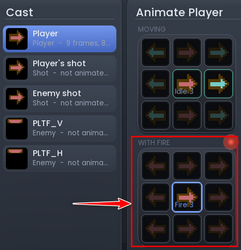
-In the platformer, the “left” orientation and the way the joystick directions are handled haven't been fixed when the player shoots (the animation still goes to the right).
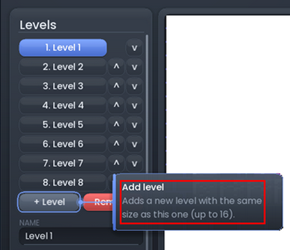
-I think there’s a bug in the level editor (Pro); it lost one of my 9 levels, even though you can create 16 (it seems like it only handles 8 levels).
Another (little) feature:
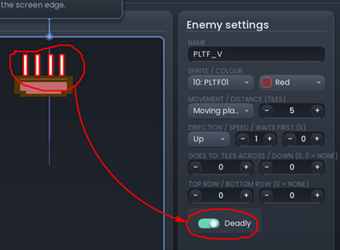
-Is it possible to add an option to mobile platforms that kills the player (e.g., a moving platform with spikes)?
-You haven’t responded to my request to add the “Dynamite/Blasts Away/Dig” panel (like in “Cave Digger”) to the platformer section. Would it be possible to add this in a future version of c64Engine? Let me know if you plan to do this or not.
Thanks in advance
Will see what can be done with the new feature and I might have already fixed that issue and a few others that got reported just after the release.
1.3.3 coming in the next few hours, been busy on it.